


In today’s digital landscape, video is the undisputed king of content. Whether you are a YouTube creator, a marketing professional, or a small business owner, the quality and impact of your videos determine your success. Simply recording footage is not enough; true engagement comes from mastering Video Editing Effects. These techniques transform raw clips into polished, professional narratives that capture attention and drive action.
This comprehensive guide, brought to you by the experts at Inside Editors, delves deep into the essential professional Video Editing Effects that elevate content from amateur to cinematic. We will explore everything from subtle color grading to complex visual effects, ensuring you understand not just what these effects are, but how and when to use them effectively to tell a compelling story. Mastering these tools is crucial for anyone serious about digital video production.
Understanding the Role of Video Editing Effects

The primary goal of employing Video Editing Effects is to enhance the viewing experience, clarify the narrative, and evoke specific emotions. Effects are not merely decorative; they are fundamental storytelling tools. A well-placed transition, a perfectly timed slow-motion sequence, or a dramatic color shift can completely alter the audience’s perception of a scene.
Defining Professional Video Effects
Professional video effects encompass a wide range of post-production techniques used to manipulate the visual and auditory elements of a video. These techniques fall into several categories, including visual effects (VFX), motion graphics, color correction, and specialized transitions. Unlike basic filters, professional effects require precision, technical knowledge, and an artistic eye to integrate seamlessly into the footage.
“The difference between good editing and great editing is often invisible. Great Video Editing Effects enhance the story without drawing attention to themselves.” – Walter Murch, Legendary Film Editor
Why Expertise Matters in Applying Effects
Applying effects haphazardly can ruin a video’s credibility. Expertise ensures that every effect serves a purpose—whether it’s fixing a technical flaw, guiding the viewer’s eye, or establishing a mood. For instance, knowing the difference between a simple cross-dissolve and a dynamic L-cut is essential for maintaining narrative flow. If you find the technical demands overwhelming, leveraging professional services can ensure your content always looks its best.
Essential Category 1: Color Correction and Grading
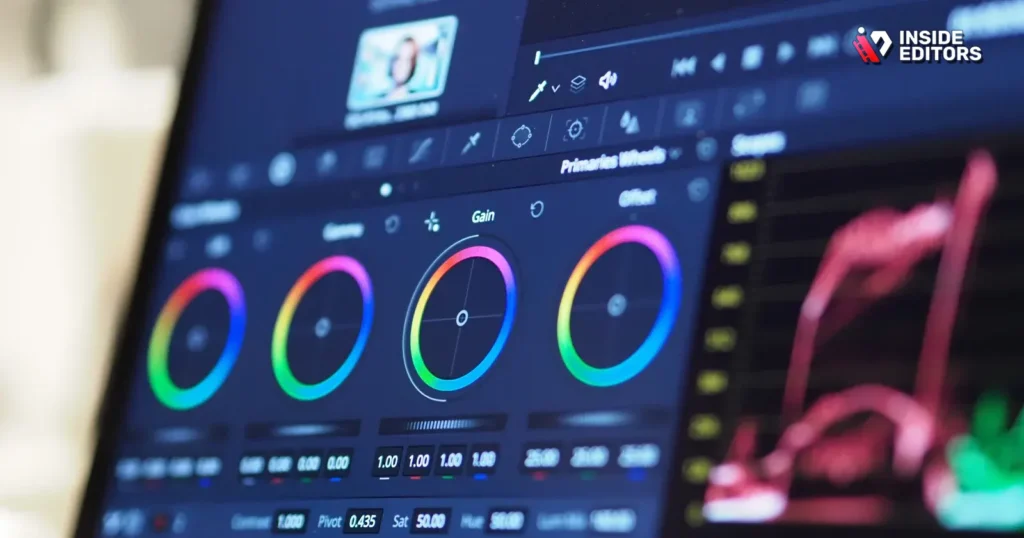
Color is arguably the most powerful non-verbal tool in a video editor’s arsenal. It dictates mood, time of day, and genre. Color correction and grading are two distinct, yet interconnected, Video Editing Effects critical for professional output.
Color Correction: Achieving Technical Accuracy
Color correction is the technical process of adjusting the white balance, exposure, and contrast to make the footage look natural and consistent across all clips. This step must always precede color grading. If your footage was shot in different lighting conditions, color correction ensures that the skin tones and environmental colors match from one cut to the next.
Steps for Effective Color Correction:
- Set White Balance: Neutralize any unwanted color casts (blue or orange).
- Adjust Exposure: Ensure shadows are deep and highlights are controlled, avoiding clipping.
- Match Shots: Use scopes (vectorscope, waveform monitor) to ensure consistency between different camera angles and scenes.
Color Grading: Establishing the Mood
Color grading is the artistic application of color styles to create a specific aesthetic or mood. This is where you apply the “look”—the cinematic blue-and-orange contrast, the vintage sepia tone, or the high-contrast documentary feel. This is one of the most impactful Video Editing Effects available.
For example, a horror film might use desaturated colors and deep blacks, while a travel vlog might employ vibrant, saturated colors to convey excitement and warmth. Understanding color theory is key here. The subtle shift in hues can dramatically influence viewer emotion. You can see examples of sophisticated color work in high-end projects, including professional Instagram Video Editing Effects where visual impact is paramount.
Essential Category 2: Dynamic Transitions and Pacing
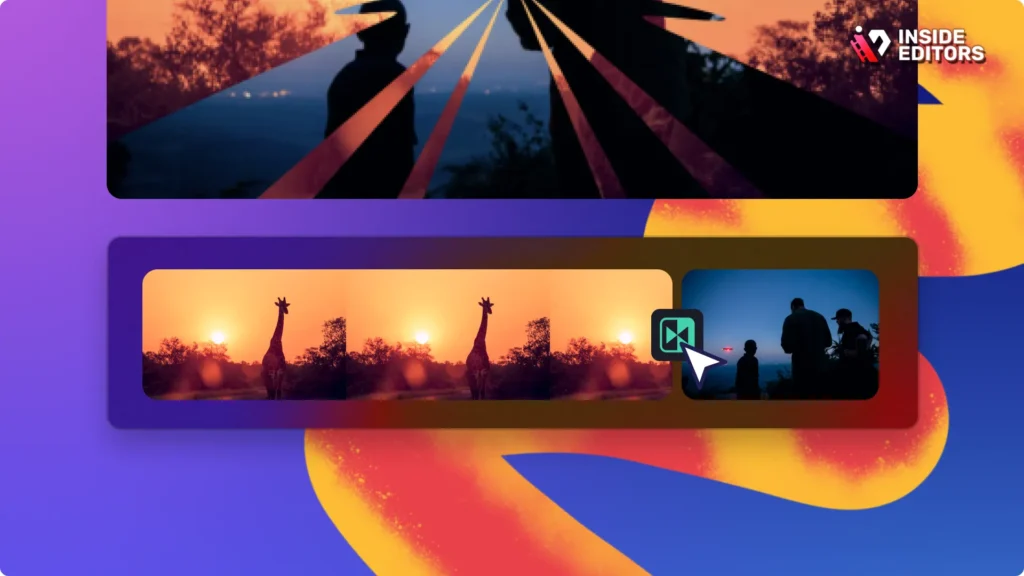
Transitions are the bridges between scenes, and their selection dictates the pace and rhythm of the video. While simple cuts are often best, professional editors utilize dynamic transitions as powerful Video Editing Effects to convey movement, time jumps, or emotional shifts.
Mastering the Art of the Invisible Cut
The most professional transition is often the one the viewer doesn’t notice. Techniques like J-cuts (audio from the next scene starts before the visual) and L-cuts (visual from the next scene starts before the audio) create smooth, seamless flow, making the dialogue feel natural and continuous.
Leveraging Motion-Based Transitions
For high-energy content, such as Action Video Editing sequences or social media shorts, motion-based transitions are highly effective.
| Transition Type | Description | Best Use Case |
|---|---|---|
| Whip Pan | A rapid horizontal camera movement used as a transition. | High-speed action, quickly changing locations, energetic vlogs. |
| Zoom/Push | Rapidly zooming into or pushing through a scene element. | Emphasizing a reveal, creating urgency, dynamic cuts in music videos. |
| Match Cut | Transitioning between two shots that share a similar composition or shape. | Signifying thematic connection, showing passage of time, artistic storytelling. |
These transitions must be executed precisely to avoid appearing jarring or amateurish. They are complex Video Editing Effects that require careful timing and often involve motion blur to sell the illusion of speed.
Category 3: Visual Effects (VFX) and Compositing
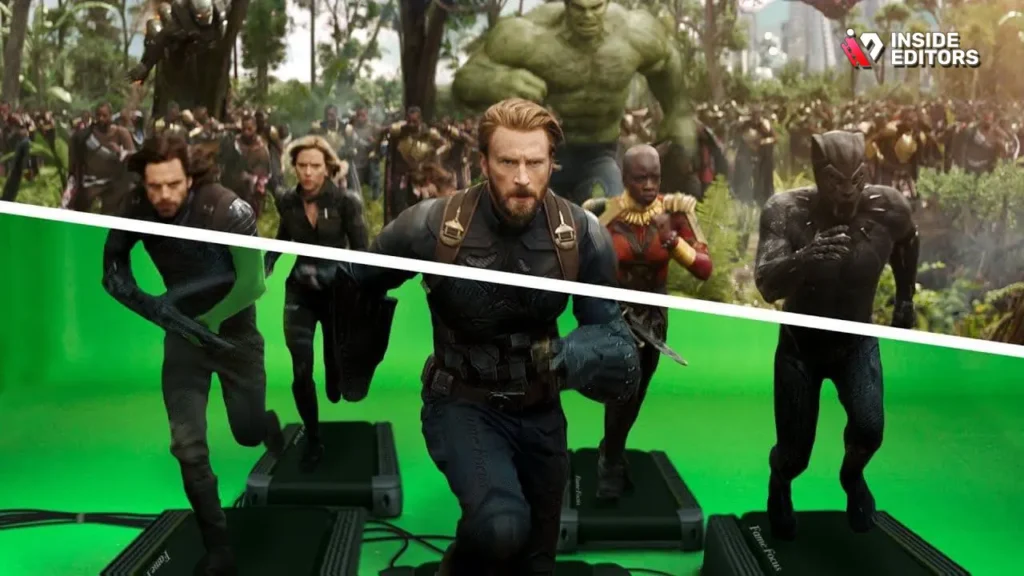
Visual Effects (VFX) are the most complex and time-consuming Video Editing Effects. They involve creating, enhancing, or manipulating imagery that was not present during the original shoot.
Green Screen and Chroma Keying
Chroma keying, commonly known as green screen removal, allows editors to isolate a subject filmed against a solid color (usually green or blue) and replace that background with any other image or video. This is essential for virtual sets, adding complex backgrounds, or placing subjects in impossible locations.
Key Steps for Perfect Chroma Keying:
- Ensure even, shadow-free lighting on the green screen.
- Use a high-quality keyer tool to pull a clean matte (the selection mask).
- Apply “spill suppression” to remove any green reflection cast onto the subject.
- Integrate the new background with matching lighting and focus.
Compositing and Layering
Compositing involves combining multiple visual elements from separate sources into a single, cohesive image. This can range from adding subtle smoke or dust effects to seamlessly integrating 3D models into live-action footage. Professional compositing requires meticulous attention to detail regarding lighting, shadow, and perspective to ensure the elements look like they belong together. For projects requiring advanced visual storytelling, expert compositing is non-negotiable. It’s a critical component of professional Video Editing Special Effects.
“VFX should be invisible. If the audience is thinking about the effect, they are not thinking about the story.” – George Lucas, Filmmaker
Essential Category 4: Motion Graphics and Text Effects
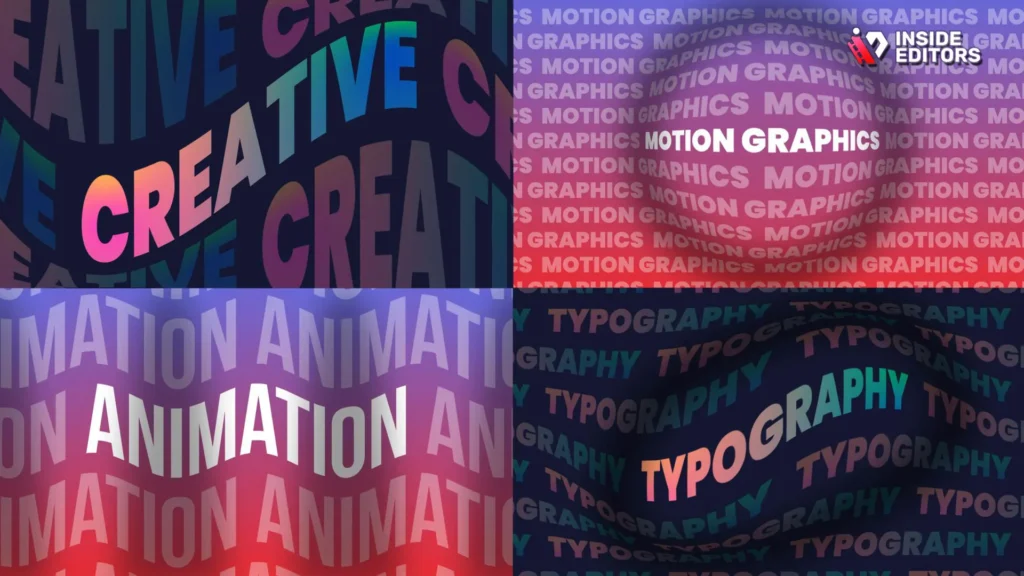
Text and graphics are crucial for conveying information quickly, reinforcing branding, and adding professional polish. Motion graphics are animated design elements that communicate complex ideas simply.
Lower Thirds and Titles
Professional videos rely on clean, branded lower thirds to introduce speakers or display key information. These should be animated subtly, often sliding in or fading up, maintaining brand consistency in font, color, and placement. Poorly designed or static titles instantly detract from the video’s professionalism.
Kinetic Typography and Explainer Videos
Kinetic typography-text that moves and animates dynamically-is a highly effective Video Editing Effect for explainer videos and advertisements. It keeps the viewer engaged by constantly introducing visual novelty while reinforcing the spoken word.
Pros and Cons of Heavy Motion Graphics:
| Pros | Cons |
|---|---|
| – High engagement and retention rates. | – Requires specialized software and skills (e.g., After Effects). |
| – Excellent for explaining complex concepts quickly. | – Can become distracting if overused or poorly timed. |
| – Reinforces brand identity and professionalism. | – Increases rendering time significantly. |
| – Easily adaptable for different social media formats. | – Requires meticulous attention to timing and synchronization. |
If you are creating educational content, integrating animated diagrams or data visualizations using motion graphics can dramatically improve comprehension. This level of detail is often what separates high-performing content from the rest.
Advanced Techniques: Speed Ramping and Stabilization
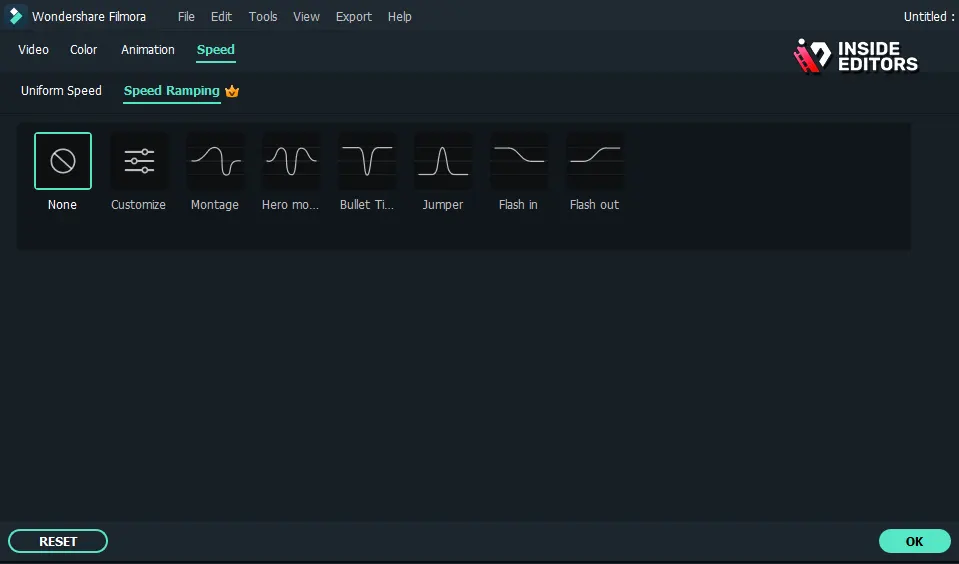
Beyond the core effects, advanced techniques like speed ramping and stabilization offer sophisticated ways to control pacing and polish footage. These are essential Video Editing Effects for modern cinematic style.
Mastering Speed Ramping
Speed ramping is the technique of smoothly transitioning the speed of a clip-often from real-time to slow motion or vice versa-to emphasize a moment or create dramatic tension. Unlike simple speed changes, ramping uses keyframes to create a gradual acceleration or deceleration curve.
When to Use Speed Ramping:
- Dramatic Impact: Slowing down right before an important event (e.g., a sports highlight).
- Time Compression: Speeding up mundane actions (e.g., walking down a hallway) to save time.
- Visual Flow: Creating a dynamic transition into a new scene.
Footage Stabilization
Shaky footage is the nemesis of professional video. While modern cameras have built-in stabilization, post-production stabilization tools (like Warp Stabilizer in Premiere Pro or specialized software) are often necessary to achieve buttery smooth results, especially for handheld shots or drone footage. Proper stabilization is a critical, often overlooked, Video Editing Effect that ensures viewer comfort and professionalism.
Avoiding Common Mistakes with Video Editing Effects
The key to professional editing is restraint. Beginners often make the mistake of using too many effects simply because they can. This leads to a cluttered, distracting, and ultimately amateurish result.
The Pitfalls of Over-Editing
- Excessive Transitions: Using a different wipe or dissolve for every cut breaks the flow and looks dated. Stick to simple cuts 90% of the time.
- Over-Saturated Colors: Pushing the saturation slider too far results in unnatural, cartoonish colors that lose detail.
- Poorly Keyed Green Screens: Visible green outlines or artifacts immediately destroy the illusion and viewer trust.
- Mismatched Audio Effects: Adding sound effects that don’t logically align with the visual (e.g., cartoon boings in a serious Corporate Video Editing).
“If you feel the urge to use a fancy filter or effect, ask yourself what story it tells. If the answer is ‘none,’ delete it.” – Anonymous Senior Editor
Remember, the best Video Editing Effects support the narrative; they do not replace it. Every choice must be intentional and serve the overall message. For instance, subtle lens flares can add cinematic realism, but excessive flares simply obscure the action.
When to Hire Professional Video Editors
While understanding these techniques is valuable, executing them flawlessly under tight deadlines requires significant expertise, powerful hardware, and specialized software knowledge. This is particularly true for businesses and creators who need consistent, high-quality output without diverting focus from content creation.
If you are struggling to achieve the polished look you need, or if your editing process is consuming too much time, it’s time to consider professional help. Inside Editors specializes in delivering stunning, professional video content tailored to your specific goals.
Professional Video Editing with Inside Editors

At Inside Editors, we transform your raw footage into high-impact videos using expert-level Video Editing Effects. Our service is designed for YouTube creators, businesses, marketers, and course creators who demand quality and consistency.
Why Choose Inside Editors?
- Expertise and Experience: Our professional editing team has over 10 years of collective experience applying sophisticated effects, color grading, and motion graphics. We know exactly which Video Editing Effects will maximize your video’s impact.
- Fast Turnaround: We offer rapid delivery, typically between 24 and 72 hours, ensuring you meet crucial publishing deadlines.
- Affordable and Scalable: Our affordable pricing starts at just $29 per video, providing a scalable solution for growing channels and consistent marketing campaigns.
- Quality Assurance: Every project includes professional color grading and audio enhancement, ensuring a polished final product. We offer unlimited revisions until you are completely satisfied.
We handle the technical complexity of advanced Business Video Editing services so you can focus entirely on creating great content. We ensure your brand style is consistent across all platforms, from YouTube to TikTok, utilizing the best practices for every format, including specific requirements for YouTube Shorts editing.
Future Trends in Video Editing Effects

The world of video editing is constantly evolving. Staying ahead of the curve means understanding emerging technologies and trends that will define the next generation of content.
AI-Assisted Editing
Artificial Intelligence is increasingly integrated into editing software, assisting with complex tasks like automated stabilization, object tracking, and even generating rough cuts. AI tools can now automatically apply sophisticated Video Editing Effects, such as background replacement or noise reduction, dramatically speeding up the workflow. This allows human editors to focus on the creative, narrative aspects of the project.
Immersive and Interactive Effects
As virtual reality (VR) and augmented reality (AR) become more mainstream, editors are exploring immersive effects. This includes 360-degree video editing and interactive elements that allow the viewer to influence the narrative. Understanding how to stitch, stabilize, and apply graphics to spherical video is a burgeoning skill set. For creators focused on short-form content, the trends in TikTok video editing often involve rapid, highly stylized effects that leverage these new capabilities.
Hyper-Realism and Digital De-Aging
In high-end production, digital effects are achieving unprecedented levels of realism. Techniques like digital de-aging (used in major motion pictures) and hyper-realistic digital doubles are becoming more accessible. While these are currently high-budget Video Editing Effects, the underlying technology is trickling down to professional software, enabling more sophisticated visual storytelling for everyone.
Enhancing Content with Intentional Effects
Mastering Video Editing Effects is not about knowing every button in your software; it’s about understanding how visual techniques serve your story and engage your audience. From the subtle power of professional color grading to the dynamic energy of motion graphics, every effect must be applied with intention and precision.
If you are ready to take your videos to the next level but lack the time or technical resources, remember that Inside Editors offers the expertise you need. We provide professional, fast, and affordable editing solutions, ensuring your content always looks cinematic and performs optimally. Let us handle the complexity of professional Comparison Video Editing while you focus on what you do best: creating compelling content. Discover how easy it is to elevate your brand by visiting our Adventure Video Editing services page today. We are here to help you shine.
Frequently Asked Questions
What are the main Video Editing Effects?
The main categories of professional Video Editing Effects include color correction and grading, dynamic transitions, visual effects (VFX) like green screen, and motion graphics. These techniques are used to enhance narrative flow, establish mood, and ensure technical consistency across all footage.
How often should I use special effects?
You should use special effects sparingly and intentionally. The best Video Editing Effects support the story without drawing attention to themselves. Over-editing with excessive transitions or filters can distract the viewer and reduce the video’s professional appeal.
Why is color correction important for video?
Color correction is vital because it ensures technical accuracy. It fixes exposure issues, adjusts white balance, and makes sure colors are consistent between different camera shots. This is the foundation upon which artistic color grading is applied.
Can AI help with Video Editing Effects?
Yes, AI is increasingly integrated into editing software to automate complex tasks. AI can assist with stabilization, object tracking, and applying sophisticated Video Editing Effects like noise reduction, allowing human editors to focus more on creative decisions.
How do professionals achieve cinematic looks?
Professionals achieve cinematic looks primarily through meticulous color grading, which establishes a specific mood or aesthetic (e.g., the ‘Hollywood’ blue-and-orange contrast). They also use subtle, intentional Video Editing Effects like speed ramping and smooth camera movements.


