

The way we announce major life events is constantly evolving. Gone are the days when a simple paper card was the only option. Today, couples are embracing dynamic, engaging digital announcements. If you are planning your wedding, leveraging the power of video is essential for capturing attention and setting the tone for your big day. Finding the perfect, high-quality, and free wedding invitation video templates can feel like searching for a needle in a haystack, but the effort is worth it. These templates offer a cost-effective and beautiful solution for sharing your excitement with loved ones.
This comprehensive guide will walk you through the top seven free wedding invitation video templates available in 2026. We will explore platforms, features, customization tips, and the essential steps to ensure your digital invitation is flawless. We will also discuss how professional editing services can elevate even the best free template into a cinematic masterpiece.
The Rise of Digital Wedding Invitations: Why Video Matters
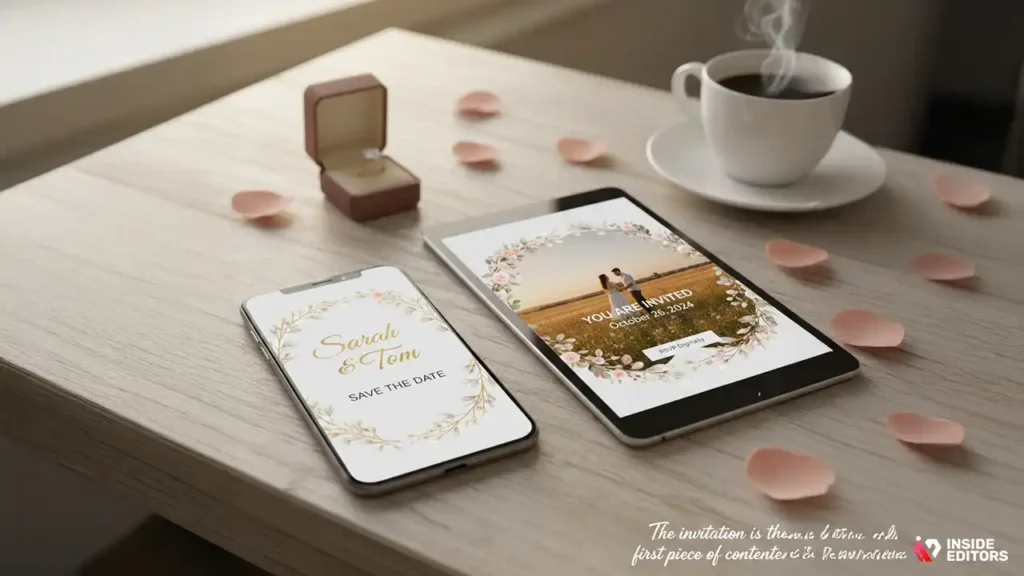
Video invitations have surged in popularity, offering a blend of personalization and efficiency that traditional paper invitations often lack. They allow couples to incorporate music, motion, and actual footage, creating an immersive experience for guests.
Setting the Tone with Motion Graphics
A video invitation is more than just a date and time; it is a sneak peek into the wedding’s aesthetic and mood. Whether you are aiming for a rustic, elegant, modern, or whimsical theme, the right template provides the foundation. Utilizing high-quality wedding invitation video templates ensures that your first official announcement is polished and professional. This immediate visual impact builds anticipation and helps guests understand the style of the event they are about to attend.
“In the digital age, the invitation is the first piece of content your guests consume about your event. Making it visually compelling and easy to share is non-negotiable.” – Sarah Miller, Event Technology Consultant
The Cost-Benefit of Free Templates
While paid templates often offer premium features, the quality of free wedding invitation video templates available today is remarkable. Many platforms offer robust free tiers designed to hook users, providing professional-grade designs that require only minor customization. The primary benefit is financial savings, allowing couples to allocate more of their budget to other crucial wedding elements. However, maximizing the potential of these free tools often requires a keen eye for design and some basic editing skills.
Essential Criteria for Choosing Wedding Invitation Video Templates

Before diving into the top seven options, it is crucial to understand what makes a template truly effective. Not all free templates are created equal. Focus on these key criteria to ensure you select a template that meets your needs and technical requirements.
Customization and Flexibility
The best templates allow for extensive personalization. Look for options that let you easily change fonts, color palettes, music tracks, and photo placeholders. A template is merely a starting point; your personal touch is what transforms it into your unique invitation. Ensure the platform supports easy drag-and-drop functionality for adding your own photos or video clips.
Technical Specifications and Output Quality
Pay close attention to the output resolution. Ideally, you want a template that exports in high definition (1080p) or even 4K, especially if you plan to share it on large screens or high-resolution social media platforms. Also, check the aspect ratio. Most social media and messaging apps prefer 16:9 (landscape) or 9:16 (vertical/stories format). A versatile template should offer both options.
User Experience and Learning Curve
Since you are likely not a professional editor, the platform hosting the wedding invitation video templates should be intuitive. If the editing software is overly complicated, the “free” aspect quickly loses its value due to the time investment required. Look for platforms known for their user-friendly interfaces and extensive tutorials.
The Top 7 Free Wedding Invitation Video Templates for 2025
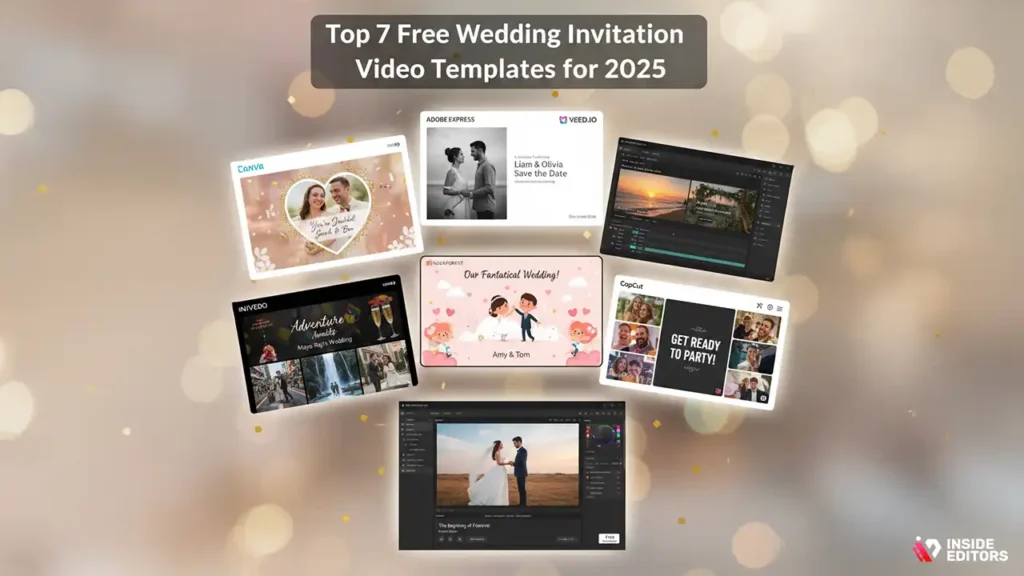
We have curated a list of the most reliable and feature-rich free wedding invitation video templates platforms available today. Each offers a unique set of advantages depending on your technical skill level and desired aesthetic.
1. Canva: The Design Powerhouse
Canva is arguably the most popular choice for non-designers, offering thousands of visually stunning templates. Its strength lies in its simplicity and vast library of free elements, including stock footage, music, and graphics.
Key Features of Canva Templates
Canva excels at motion graphics and text animation. You can easily upload your engagement photos and insert them into pre-animated slides. The platform’s collaborative features also make it easy for both partners to work on the design simultaneously. Many of the free wedding invitation video templates here are optimized for mobile viewing, which is crucial for maximizing reach.
2. Adobe Express (Formerly Spark): Professional Polish
Adobe Express offers a slightly more professional edge, leveraging the power of the Adobe ecosystem. While some features are reserved for the paid tier, the free collection of wedding invitation video templates is sophisticated and clean.
Why Choose Adobe Express?
If your wedding theme leans towards modern elegance or minimalist design, Adobe Express templates often provide higher-quality typography and smoother transitions than competitors. The platform guides you through the video creation process, making it simple to maintain a cohesive visual style.
3. Veed.io: Focused on Video Editing
Veed.io is primarily an online video editor, meaning its templates are built specifically for motion and timing. It offers excellent tools for trimming, cropping, and adding subtitles-useful if you want to include spoken narration or detailed directions.
Template Versatility
Veed.io’s free wedding invitation video templates are highly customizable in terms of timing. You can adjust the duration of each slide precisely, ensuring the video matches the rhythm of your chosen background music. This level of control over the sequence is a major advantage for those who want a cinematic feel.
4. InVideo: Rich Stock Library Integration
InVideo offers a massive library of stock footage and images integrated directly into its template selection. This is perfect if you don’t have a large collection of personal photos but still want a rich, visually appealing invitation.
Seamless Content Integration
The free wedding invitation video templates on InVideo often feature dynamic scenes and complex animations that would be time-consuming to create from scratch. You can easily swap out their stock footage for your own clips, maintaining the professional animation structure.
5. Renderforest: Animated and Illustrated Styles
Renderforest specializes in explainer videos and animated graphics. If your wedding theme is playful, cartoonish, or requires complex 3D-style animation, Renderforest offers unique wedding invitation video templates that stand out from the crowd.
Unique Aesthetic Appeal
These templates often use illustrated characters or abstract motion graphics rather than photo placeholders, giving the invitation a distinct, artistic flair. This is an excellent choice for couples looking for something truly different.
6. CapCut: Mobile-First Editing
CapCut has become incredibly popular due to its robust mobile app, making it ideal for creating and editing invitations directly on your phone. Its templates are often trending and optimized for short-form video platforms.
Speed and Efficiency
If you need a quick turnaround, CapCut’s free wedding invitation video templates allow for rapid assembly. The interface is highly intuitive for anyone familiar with social media video creation, making the process fast and painless.
7. DaVinci Resolve (Free Version): The Professional’s Choice
While not strictly a template platform in the same vein as Canva, the free version of DaVinci Resolve is a full-fledged professional editing suite. You can find free project files and templates created by users online that can be imported and customized.
The Highest Quality Output
If you have some editing experience and prioritize the absolute highest quality and control, DaVinci Resolve is unmatched. It offers superior color grading and audio mixing tools, ensuring your final wedding invitation video templates project looks and sounds impeccable. This option requires more technical skill but delivers broadcast-quality results.
Comparison of Top Free Template Platforms
| Platform | Best For | Ease of Use | Customization Depth | Output Resolution (Free) | Learning Curve |
| Canva | Quick, stylish graphic design | Very High | Moderate | 1080p | Low |
| Adobe Express | Clean, modern elegance | High | Moderate | 1080p | Low/Moderate |
| Veed.io | Detailed video timing control | Moderate | High | 1080p | Moderate |
| InVideo | Rich stock footage integration | Moderate | High | 720p (Watermarked) | Moderate |
| Renderforest | Animated, artistic styles | Moderate | Moderate | 720p (Watermarked) | Moderate |
| CapCut | Mobile-first, fast creation | High | Moderate | 1080p | Low |
| DaVinci Resolve | Professional quality editing | Low | Very High | 4K | High |
Mastering Customization: Tips for Perfecting Your Video Invitation

Selecting the right template is only half the battle. Customizing it effectively is what truly makes your invitation shine. Even the most sophisticated wedding invitation video templates require thoughtful adjustments to reflect your personality.
Choosing the Right Music and Audio
Music selection is perhaps the most critical element in setting the mood. Ensure the music is licensed for use (or use royalty-free tracks provided by the platform). The tempo should match the pace of the video transitions. Keep the audio clear and avoid overly loud or distracting sound effects.
“Music is the emotional glue of any video. For a wedding invitation, choose a track that evokes joy and warmth without overpowering the essential information.” – Alex Chen, Digital Media Specialist
Typography and Readability
The primary purpose of the invitation is to convey essential information: who, when, and where. Choose clean, legible fonts. Limit yourself to two font styles-one for headings (names, dates) and one for body text (location, RSVP details). Ensure the text contrasts sharply with the background, especially when using dynamic video footage.
Integrating Personal Photos and Clips
When inserting your own media into the wedding invitation video templates, prioritize high-resolution images. Avoid blurry or poorly lit photos. If using video clips, keep them short (2-3 seconds per clip) and ensure they are stable and well-composed. The goal is to tell a brief, beautiful story about your relationship.
Common Pitfalls and How to Avoid Them
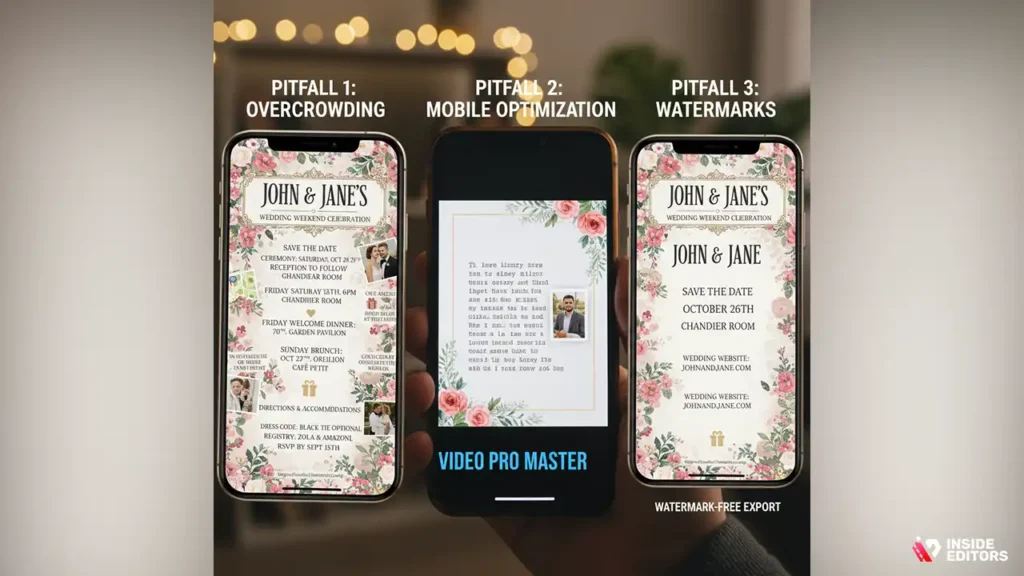
Creating a digital invitation is generally straightforward, but there are several common mistakes that can undermine the final product. Being aware of these pitfalls will save you time and ensure a smoother process.
Pitfall 1: Overcrowding the Template
Free wedding invitation video templates often encourage users to add too much content. Resist the urge to include every detail of the wedding weekend. Keep the video concise-ideally under 60 seconds. Include only the crucial details: names, date, time, and location. Direct guests to a separate wedding website for secondary information (registry, directions, dress code).
Pitfall 2: Ignoring Mobile Optimization
Most guests will view your invitation on their phones. Always preview the video on a mobile device before finalizing. Check if the text is legible on a small screen and if the aspect ratio looks correct. A poorly optimized video will result in guests missing key information.
Pitfall 3: Watermarks and Free Tier Limitations
Many platforms apply a watermark or limit the output resolution in their free tiers (e.g., InVideo, Renderforest). If the watermark significantly detracts from the professional look of your chosen wedding invitation video templates, consider two options:
- Choose a platform like Canva or Adobe Express, which often offer watermark-free 1080p exports.
- If you have found the perfect template but it has a watermark, consider professional editing to remove the watermark and polish the video.
Elevating Your Template: When Professional Editing is Necessary
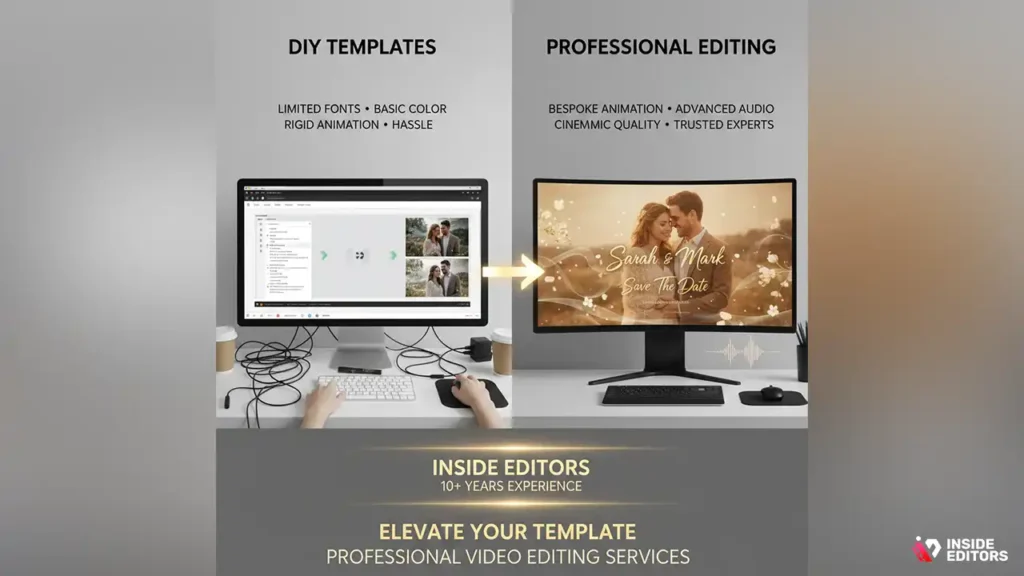
While free wedding invitation video templates provide an excellent foundation, sometimes the project requires a level of polish and customization that goes beyond what a free online editor can offer. This is where professional video editing services become invaluable.
The Limitations of DIY Templates
Even the best free templates have limitations: restricted font choices, basic color grading, and often, rigid animation structures that are hard to modify. If your vision demands unique transitions, complex audio synchronization, or seamless integration of diverse media types, you will quickly hit a wall with free online tools.
Why Choose Professional Video Editing
Professional editors can take your basic template and transform it into a high-end cinematic announcement. They ensure color consistency, perform advanced audio enhancement, and create bespoke animations that perfectly match your wedding theme.
If you are struggling to make your chosen free wedding invitation video templates look truly professional, consider working with experts. Inside Editorsm offers professional video editing services designed for projects just like this. Our team of professional editors, with over 10 years of experience, specializes in taking raw footage and templates and delivering polished, high-quality videos.
We offer fast turnaround times, typically between 24 and 72 hours, and unlimited revisions until you are completely satisfied. This ensures that the final video is exactly what you envisioned, without the hassle of learning complex editing software. Our affordable pricing structure means you get professional quality without breaking the bank. By leveraging our expertise, you save time and ensure your digital invitation builds trust and excitement for your special day.
Step-by-Step Guide to Creating Your Video Invitation
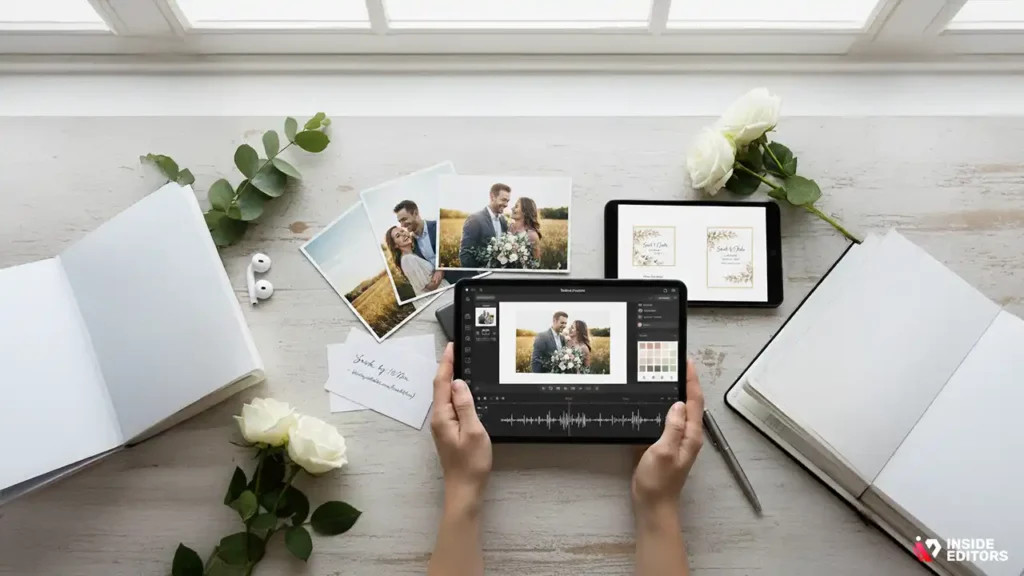
Once you have selected your favorite among the free wedding invitation video templates, follow these steps for a smooth creation process.
Step 1: Gather Your Assets
Collect all necessary components:
- Text: Names, date, time, venue, RSVP details, and wedding website URL.
- Visuals: High-resolution photos and short video clips (engagement shoot, couple portraits).
- Audio: Chosen background music track.
Step 2: Select and Import the Template
Choose the template that best fits your theme (rustic, modern, classic). Import your template into the chosen platform (Canva, Adobe Express, etc.). Ensure the template’s aspect ratio matches your intended sharing method (16:9 for YouTube/Email, 9:16 for Instagram/TikTok Stories).
Step 3: Customize the Visuals
Replace placeholder images with your personal photos. Adjust the color palette to match your wedding colors. If the template allows, modify the animated transitions to be smoother or more dynamic. Remember to keep the overall look cohesive.
Step 4: Refine the Text and Timing
Insert your specific wedding details. Double-check all dates, times, and addresses for accuracy. Adjust the timing of each slide to ensure the text is readable-at least 3-5 seconds per slide containing crucial information. Synchronize the transitions with the beat of the music for a professional feel.
Step 5: Review and Export
Watch the entire video multiple times, checking for typos, awkward transitions, or audio issues. Ask a trusted friend or family member to review it as well. Once satisfied, export the final video in the highest possible resolution (e.g., 1080p) and without any watermarks, if possible. This final step is crucial for ensuring the quality of your chosen wedding invitation video templates is maintained.
Distribution Strategies: Getting Your Video to Guests
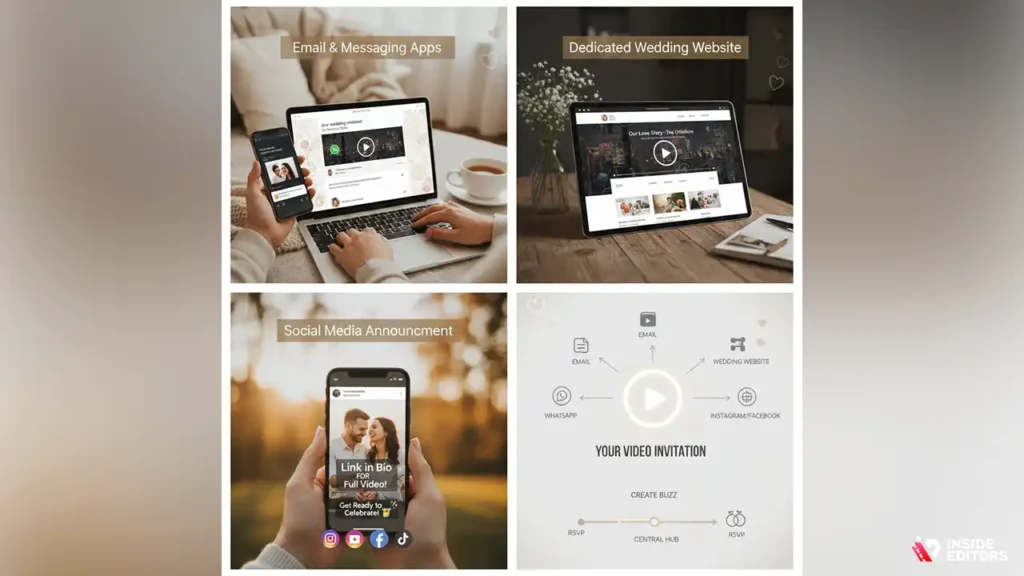
A beautiful video invitation is only effective if your guests see it. Strategic distribution is key to maximizing engagement and ensuring timely RSVPs.
Email and Messaging Apps
Email is the most traditional way to send a digital invitation. Embed a link to the video or attach the file directly (if small enough). For instant sharing, use messaging apps like WhatsApp or Telegram, which handle video files efficiently.
Dedicated Wedding Website
Always host the video on your dedicated wedding website. This provides a central hub for guests to find all necessary information and allows you to track views and engagement. Platforms like YouTube or Vimeo are excellent for hosting, as they handle streaming smoothly.
Social Media Announcement
Consider posting a shortened, teaser version of the video on social media (Instagram Stories, Facebook). This creates buzz and excitement, but always ensure the full, detailed version is sent directly to your official guest list.
Future Trends in Wedding Invitation Video Templates
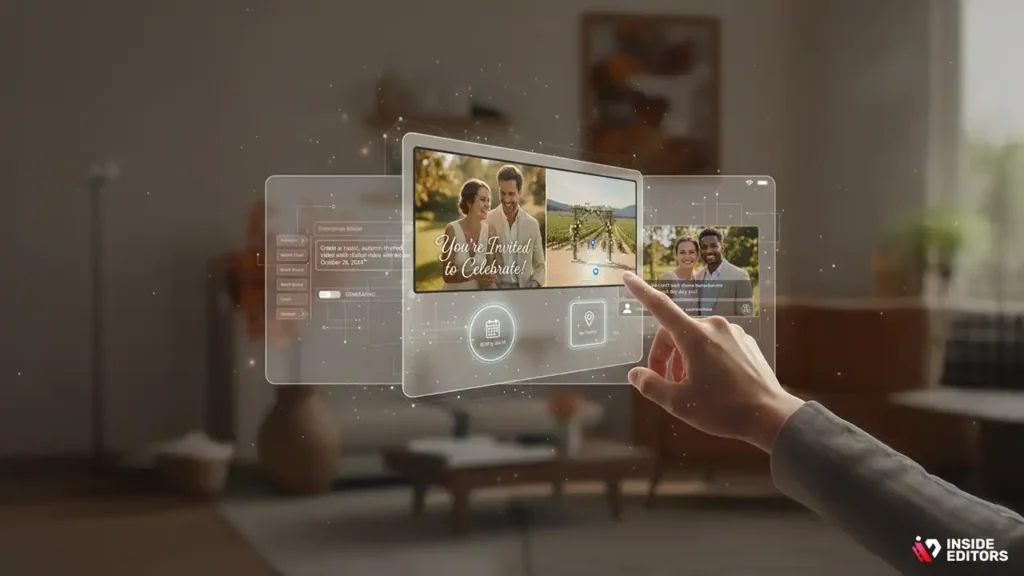
The landscape of digital invitations continues to evolve. Staying ahead of the curve means understanding where technology is heading. We anticipate several key trends impacting wedding invitation video templates in the coming years.
AI-Generated Content
Artificial intelligence is rapidly entering the creative space. Soon, AI tools will be able to generate highly personalized wedding invitation video templates based on simple text prompts (e.g., “Create a rustic, autumn-themed invitation video with our names and date”). This will drastically reduce the time needed for customization.
Interactive Elements
Future video invitations will likely incorporate interactive elements, such as embedded RSVP buttons directly within the video player or personalized maps that appear when clicked. This move towards transactional video will make the invitation process much more efficient for couples and guests alike.
Enhanced Accessibility
Focus on accessibility features, such as automatic closed captions and audio descriptions, will become standard. This ensures that all guests, regardless of ability, can easily access and understand the crucial information contained within the wedding invitation video templates.
Conclusion: Making Your Digital Dream a Reality
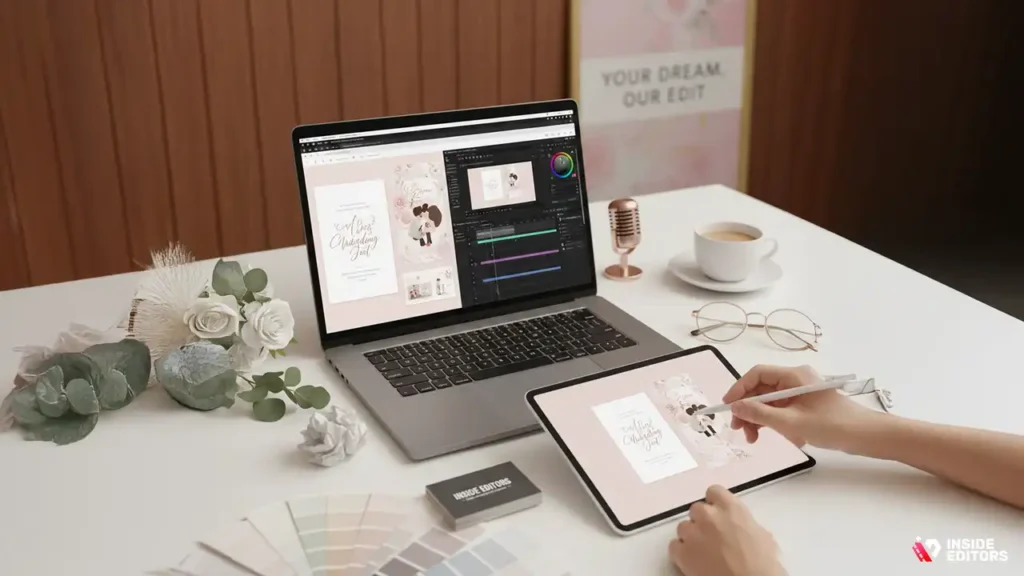
Choosing and customizing free wedding invitation video templates is an exciting part of wedding planning. By focusing on quality, readability, and mobile optimization, you can create a stunning digital announcement that captivates your guests and sets the perfect precedent for your wedding day.
Whether you utilize the user-friendly interface of Canva, the professional polish of Adobe Express, or the advanced control of DaVinci Resolve, remember that the goal is clear communication wrapped in beautiful design.
If you find yourself overwhelmed by the editing process or need that extra layer of professional refinement, remember that expert help is available. Inside Editors specializes in taking projects from concept to completion, ensuring your video is flawless. Our professional editing team can take your chosen wedding invitation video templates, refine the color grading, perfect the audio, and deliver a high-quality video quickly. Save yourself the stress and let our experienced editors handle the technical details, guaranteeing a stunning result that you and your guests will cherish.
Frequently Asked Questions
What is the best free video template platform?
Canva is often considered the best free platform for wedding invitation video templates due to its user-friendly interface and vast library of stylish, customizable designs. It offers high-resolution output and is ideal for users with minimal video editing experience who need quick, professional results.
Should I choose 1080p or 4K resolution?
For most sharing methods (social media, email), 1080p resolution is sufficient and loads quickly. However, if you plan to display the wedding invitation video templates on a large screen at an event, 4K resolution offers superior clarity, provided your chosen platform supports the export.
How long should a video invitation be?
A wedding invitation video should be concise, ideally between 30 and 60 seconds. This ensures guests watch the entire announcement and absorb the crucial information without losing interest. Keep the focus on names, date, time, and location.
Can I use copyrighted music in my template?
No, you should avoid using copyrighted music unless you have purchased the appropriate license. Stick to royalty-free music libraries provided by the template platforms or use reputable sources to ensure your wedding invitation video templates comply with intellectual property laws.
How can I avoid a template watermark?
To avoid watermarks on your wedding invitation video templates, use platforms like Canva or Adobe Express, which often offer watermark-free exports in their free tiers. Alternatively, professional video editing services can often help refine and polish the video without common free-tier restrictions.


