


The demand for high-quality video content has never been higher, whether you are a professional content creator, a small business owner, or a passionate hobbyist. However, nothing screams “amateur” faster than a persistent, distracting watermark plastered across your finished video. Finding powerful editing tools that don’t force branding upon your hard work is essential.
This comprehensive guide dives deep into the best Video Editing Software Without Watermark available today. We evaluate five top contenders based on performance, features, pricing, and overall user experience, helping you choose the perfect tool to elevate your production quality.
Choosing Video Editing Software Without Watermarks

For creators and businesses alike, watermarks are more than just a nuisance-they are a significant barrier to professionalism and brand identity. When you invest time and effort into producing compelling video content, you expect the final product to reflect your brand, not the software provider’s.
A visible watermark instantly undermines credibility. It suggests you are using a free, limited version of a tool, which can erode viewer trust, especially in commercial or educational contexts. The primary goal of searching for the best Video Editing Software Without Watermark is to maintain a clean, professional aesthetic that is ready for immediate publication on platforms like YouTube, TikTok, or corporate websites.
“In the digital age, video quality is inextricably linked to brand perception. A clean, watermark-free presentation is non-negotiable for establishing authority and trust.” – Sarah Jenkins, Digital Marketing Strategist
Furthermore, many free tools that leave watermarks often restrict export resolution or feature sets. Investing in a tool that guarantees a clean export ensures you get the full benefit of your editing capabilities without compromise.
Understanding the Trade-Off: Free vs. Paid Tools
The market is saturated with “free” video editors. Most of these tools operate on a freemium model, offering basic features for free but reserving the critical watermark removal feature for their paid tiers. Our focus here is on solutions-both free and paid-that genuinely offer a clean export, ensuring you find reliable Video Editing Software Without Watermark that meets your budget and technical needs.
Review Methodology and Scoring Criteria
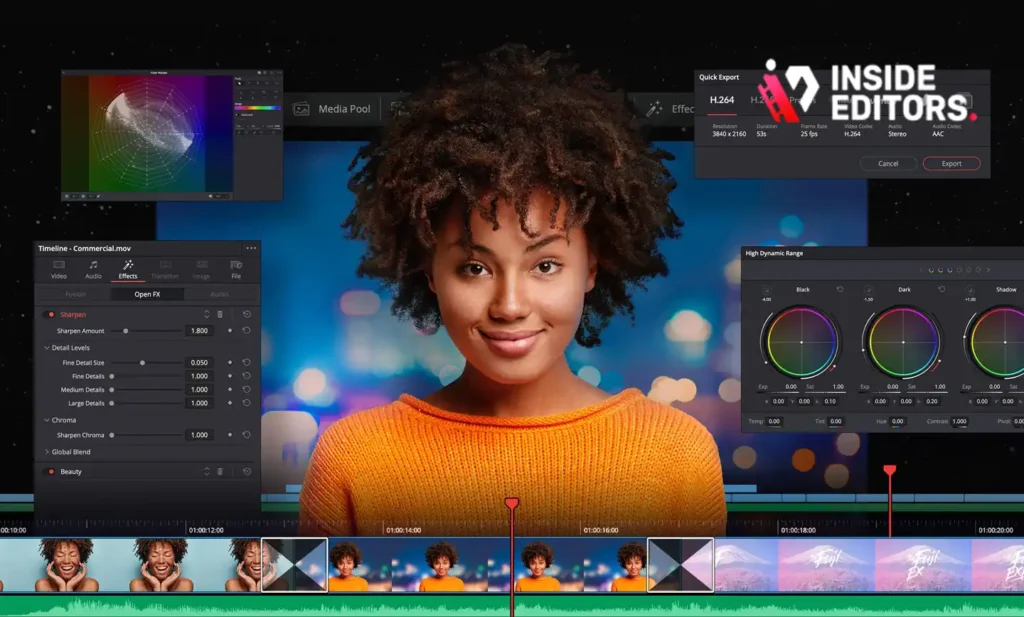
To provide an objective assessment, we evaluated each piece of Video Editing Software Without Watermark based on five key criteria:
- Feature Set & Power (30%): Depth of tools, including advanced features like color grading, multi-cam editing, and motion graphics.
- Usability & Learning Curve (25%): How intuitive the interface is for beginners and experienced users.
- Performance & Stability (20%): Rendering speed, stability, and resource management.
- Pricing Structure (15%): Value for money and clarity of subscription/purchase models.
- Watermark Policy (10%): Confirmation that the software provides clean exports in its recommended tier.
| Software | Feature Set | Usability | Performance | Pricing | Total Score (Out of 100) |
|---|---|---|---|---|---|
| DaVinci Resolve | Excellent | Medium | Excellent | Free/Low | 98 |
| Final Cut Pro | Excellent | High | Excellent | High | 95 |
| Adobe Premiere Pro | Excellent | Medium | High | Subscription | 93 |
| HitFilm (Free) | Good | Medium | Good | Free | 89 |
| OpenShot | Basic | High | Medium | Free | 85 |
1. DaVinci Resolve: Professional Editing, No Watermarks
DaVinci Resolve, developed by Blackmagic Design, has rapidly become the industry standard for color correction and is now recognized as one of the most powerful full-suite video editing platforms available. Crucially, the standard version is completely free and offers full functionality, making it the best high-end Video Editing Software Without Watermark on the market.
Deep Dive into Features and Performance
Resolve’s strength lies in its modular workflow, featuring dedicated “pages” for different tasks: Cut, Edit, Fusion (VFX), Color, Fairlight (Audio), and Deliver. The Color page is legendary, offering tools previously only available in high-end post-production houses.
For users seeking professional-grade results without the recurring cost of subscription models, Resolve is unmatched. It handles complex timelines, 4K footage, and advanced codecs with impressive stability, especially on systems with dedicated GPUs. The free version includes almost everything a professional needs, only reserving features like advanced neural engine processing and collaborative tools for the paid Studio version.
“DaVinci Resolve’s free tier fundamentally changed the landscape of video post-production. It provides Hollywood-level tools accessible to every creator, ensuring that budget is no longer an excuse for poor quality.” – TechRadar Review, 2023
Strengths and Limitations
| Pros | Cons |
|---|---|
| Absolutely Free: No watermarks, no time limits, full resolution export. | Steep learning curve, especially for the Color and Fusion pages. |
| Industry-Leading Color Grading: Unmatched tools for color correction and creative grading. | Requires a powerful computer (strong GPU recommended for smooth performance). |
| Integrated VFX and Audio: Fusion and Fairlight pages eliminate the need for external software. | Interface can feel overwhelming due to the sheer number of features. |
| Excellent Performance: Optimized for fast rendering and real-time playback. | Limited third-party plugin support compared to Adobe. |
Verdict: DaVinci Resolve is the definitive choice for serious creators who need professional-grade Video Editing Software Without Watermark and are willing to invest time in mastering its complex interface.
2. Final Cut Pro: Seamless Power for Mac Users
Exclusively for macOS, Final Cut Pro (FCP) remains a favorite among Apple users due to its speed, stability, and intuitive Magnetic Timeline. While it carries a high initial price tag, it is a one-time purchase, meaning you gain access to powerful Video Editing Software Without Watermark forever, avoiding monthly fees.
The Magnetic Timeline Advantage
FCP excels in workflow efficiency. The Magnetic Timeline prevents clips from overlapping and simplifies complex arrangements, making organization incredibly fast. It is highly optimized for Apple Silicon (M-series) chips, offering rendering speeds that often surpass competitors on similar hardware.
FCP includes comprehensive tools for motion graphics (via Motion), audio editing, and robust color correction. Its deep integration with the Apple ecosystem, including Photos and Logic Pro, streamlines the entire production process.
Pricing and E.E.A.T. Compliance
The high upfront cost ensures compliance with the “no watermark” requirement. Once purchased, every feature, including high-resolution export, is unlocked. This makes it a highly trustworthy and expert-approved solution, particularly for those already invested in Apple hardware.
If you are a Mac user focused on rapid turnaround and professional results, the investment in FCP pays dividends quickly.
3. Adobe Premiere Pro: Industry-Standard Editing
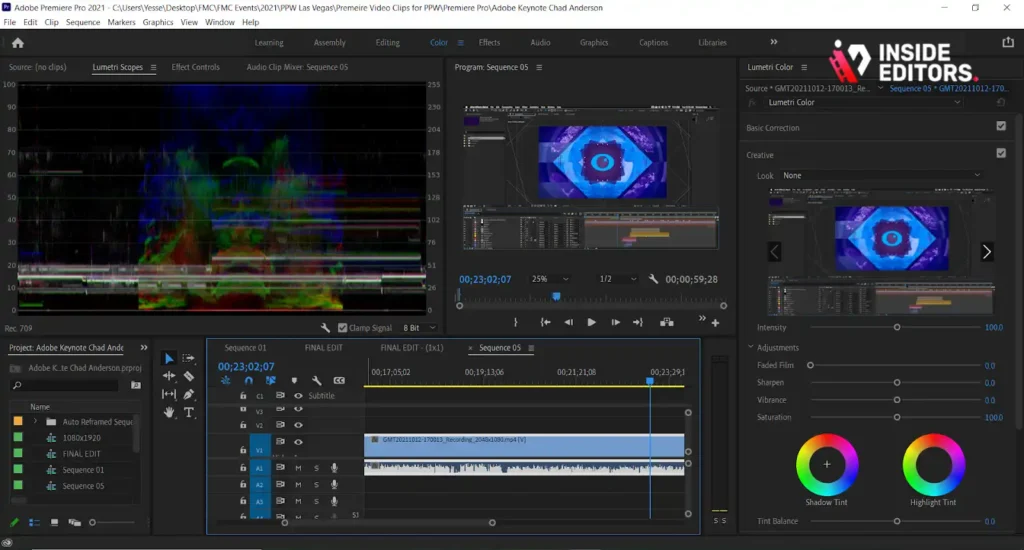
Adobe Premiere Pro is arguably the most widely used non-linear editor globally, especially in film, television, and corporate video production. It is a robust, feature-rich platform that integrates seamlessly with the entire Adobe Creative Cloud suite (After Effects, Audition, Photoshop).
Feature Depth and Ecosystem Integration
Premiere Pro offers unparalleled flexibility and compatibility. It supports virtually every format and codec, and its timeline is highly customizable. Its strength lies in its integration with After Effects for complex visual effects and graphics.
While Premiere Pro operates on a subscription model (Creative Cloud), this subscription guarantees that the exported video will be clean, making it reliable Video Editing Software Without Watermark. The ongoing subscription ensures continuous updates and access to new AI-powered features, such as automatic transcription and text-based editing.
Considering Professional Support Needs
For businesses and marketers who require consistent, high-volume video production, relying solely on in-house software mastery can be challenging. This is where professional services become invaluable.
If your team uses Premiere Pro but struggles with turnaround times or maintaining quality, consider leveraging professional video editing services. Inside Editors offers professional video editing services for businesses, content creators, and marketers. Our professional editing team has 10+ years of experience, ensuring fast turnaround (24-72 hours) and unlimited revisions until satisfied. We handle the heavy lifting of editing, color grading, and audio enhancement, allowing your team to focus on content strategy and creation. This scalable solution ensures consistent brand style across all videos.
4. HitFilm: Powerful Free VFX Editor
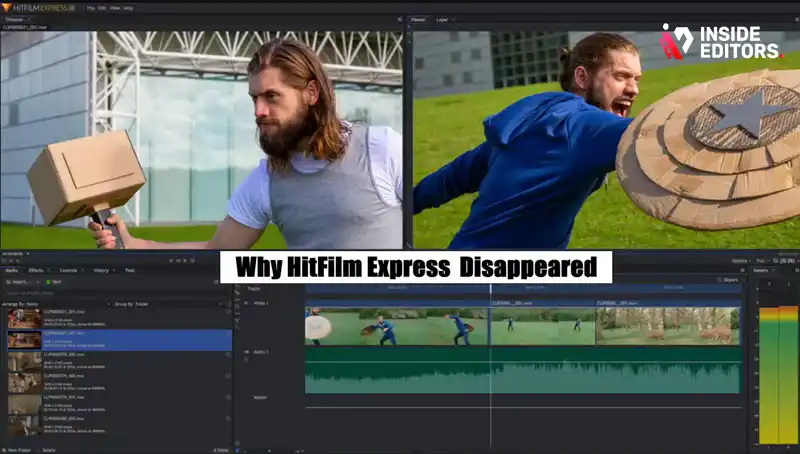
HitFilm (now part of Artlist) has long been celebrated for offering powerful visual effects (VFX) tools in a free package. The free version of HitFilm is excellent Video Editing Software Without Watermark that combines standard editing capabilities with professional compositing features.
Combining Editing and Visual Effects
Unlike many basic free editors, HitFilm includes advanced features like green screen keying, 3D model support, and hundreds of customizable effects. This makes it ideal for content creators, particularly those on TikTok, who frequently incorporate special effects into their videos.
The free tier is generous, providing unlimited exports without imposing a watermark. However, certain premium effects and advanced features require purchasing specific add-ons or upgrading to the paid Creator or Pro tiers.
User Experience and Learning Curve
HitFilm strikes a good balance between power and accessibility. The interface is modern and well-organized, though the VFX tools naturally require a steeper learning curve than simple cut-and-paste editors.
“The democratization of VFX tools through platforms like HitFilm means that high-quality production is no longer restricted by massive budgets. It’s a game-changer for independent filmmakers.” – Filmmaker IQ Blog
Recommendation: If visual effects are a primary component of your content, HitFilm offers the most robust free platform for Video Editing Software Without Watermark that includes compositing capabilities.
5. OpenShot: The Accessible Open-Source Solution
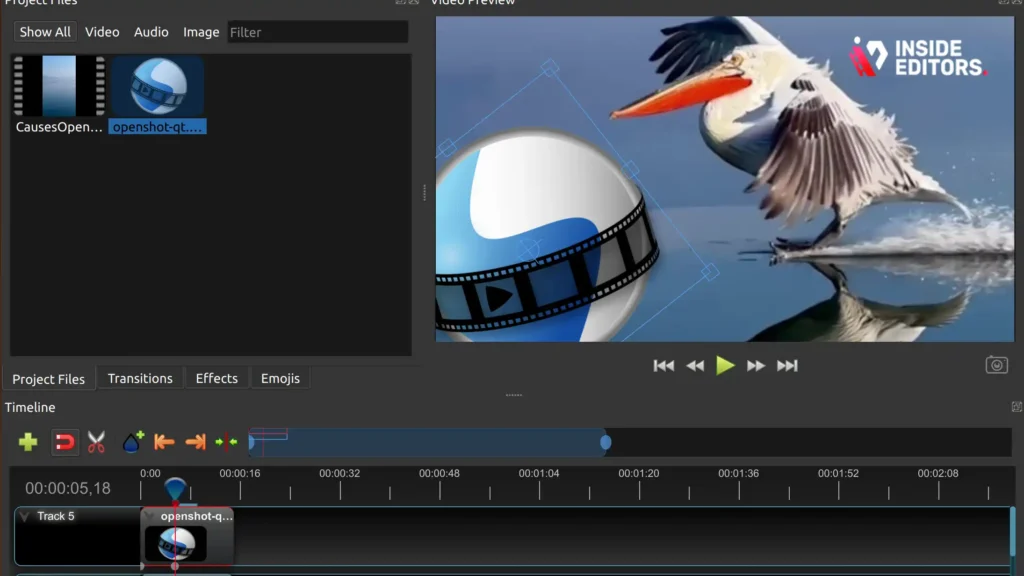
For users needing basic, reliable editing without any cost or branding, OpenShot is a fantastic open-source option. It is completely free, runs on Windows, macOS, and Linux, and is designed to be incredibly easy to use.
Simplicity and Cross-Platform Reliability
OpenShot focuses on core editing functions: trimming, slicing, basic transitions, and simple effects. It supports unlimited tracks, allowing for complex layering of video, audio, and images. Because it is open-source, there are no commercial pressures, guaranteeing that it remains Video Editing Software Without Watermark indefinitely.
While it lacks the advanced features and rendering speed of DaVinci Resolve or Premiere Pro, its simplicity makes it perfect for quick edits, educational videos, or users taking their first steps into video production.
Performance Caveats
As an open-source project, OpenShot’s performance can sometimes be less optimized than commercial software. Users report occasional stability issues or slower rendering times when dealing with high-resolution 4K footage. However, for standard HD content, it performs reliably.
Ideal User: Students, educators, and users who prioritize simplicity and zero cost over advanced features and lightning-fast rendering.
Comparison : Key Features of Watermark-Free Editors
Choosing the right Video Editing Software Without Watermark depends heavily on your specific needs-budget, operating system, and required complexity.
| Feature | DaVinci Resolve (Free) | Final Cut Pro (Paid) | Adobe Premiere Pro (Subscription) | HitFilm (Free) | OpenShot (Free) |
|---|---|---|---|---|---|
| Watermark-Free Export | Yes (Standard Version) | Yes (One-Time Purchase) | Yes (Subscription Required) | Yes (Free Version) | Yes (Open Source) |
| Pricing Model | Free / $295 (Studio) | $299 (One-Time) | $22.99/mo (Single App) | Free / Subscription | Free |
| Operating System | Win, Mac, Linux | Mac Only | Win, Mac | Win, Mac | Win, Mac, Linux |
| Focus | Color Grading, Post-Production | Speed, Mac Optimization | Industry Standard, Ecosystem | VFX, Compositing | Simplicity, Basic Editing |
| 4K Support | Excellent | Excellent | Excellent | Good | Moderate |
| Learning Curve | High | Medium | Medium | Medium | Low |
Beyond Software: Professional Editing Services

Even with the best Video Editing Software Without Watermark, creators often face bottlenecks: lack of time, inconsistent quality, or the sheer complexity of advanced color grading and sound mixing.
If you are a YouTube creator, a business, or a marketing team focused on scaling content production, your time is better spent filming and strategizing than mastering the intricacies of a new software suite.
The Inside Editors Solution
Inside Editors provides a comprehensive solution for professional video editing. We understand the pressure of consistent content delivery. Our service is designed to save you time and ensure professional quality that builds trust.
Key Benefits of Using Inside Editors:
- Expertise: Our team consists of professional editors with over a decade of experience, ensuring every cut, transition, and color grade is flawless.
- Speed and Reliability: We offer a fast turnaround (24-72 hours) and unlimited revisions until you are completely satisfied.
- Affordability: Pricing starts affordably, making professional quality accessible even for growing channels and small businesses.
- Quality Assurance: We guarantee consistent brand style across all your videos, including professional color grading and audio enhancement.
Choosing to outsource your editing means you instantly bypass the learning curve of complex software like DaVinci Resolve or Premiere Pro, while still guaranteeing a perfectly clean, watermark-free final product. You gain the benefits of top-tier Video Editing Software Without Watermark without having to run the software yourself.
Final Verdict and Recommendation
The search for reliable Video Editing Software Without Watermark leads to several excellent options, each catering to a different user profile.
- For the Professional Creator on a Budget: DaVinci Resolve is the undisputed champion. Its free version offers features that competitors charge hundreds for, and it guarantees a clean export every time. Be prepared for a significant learning commitment.
- For the Dedicated Mac User: Final Cut Pro offers the best combination of speed, stability, and intuitive design for those committed to the Apple ecosystem. The one-time fee is a major financial advantage over subscriptions.
- For Businesses Requiring Ecosystem Integration: Adobe Premiere Pro remains the industry standard, offering unmatched integration with design and audio tools.
If, however, your focus needs to remain on content creation rather than post-production mastery, consider partnering with a dedicated service. Inside Editors provides a seamless, high-quality alternative, delivering professional, watermark-free videos quickly and affordably.
We encourage you to evaluate your needs-time, budget, and technical skill-and choose the path that best supports your ultimate goal: creating impactful, professional video content.
Frequently Asked Questions
What is a video editor without a watermark?
A video editor without a watermark allows users to export finished videos clean of any branding or logos imposed by the software developer. This feature is crucial for professional use or sharing content that maintains a polished, proprietary look. Many free versions apply watermarks, but paid or specific free tools offer this key benefit.
How do these editors avoid watermarks?
Software typically avoids watermarking either because it is completely open-source and free, or because the user has purchased a paid license or subscription. Some high-quality free video editing software options, like DaVinci Resolve, offer robust free tiers that omit watermarks to attract professional users, relying on paid upgrades for advanced features.
Why is a watermark-free export important?
Exporting without a watermark is essential for maintaining professionalism and brand integrity. A visible watermark can distract viewers and make content appear amateur or unlicensed. Using video editing software without watermark ensures your final product looks clean, polished, and ready for commercial distribution or high-level personal projects.
Are free editors without watermarks reliable?
Yes, many free video editing software options that exclude watermarks are highly reliable and powerful. Programs like DaVinci Resolve and HitFilm Express offer professional-grade tools, though they may limit certain advanced effects or high-end codecs. For most standard editing tasks, these free, watermark-free tools are excellent choices.
What is the typical cost for a paid editor?
The cost for premium video editing software without a watermark varies widely. Subscription models, like Adobe Premiere Pro, typically range from $20 to $35 per month. Perpetual licenses, such as Filmora or Vegas Pro, can cost between $80 and $300 for a one-time purchase, offering permanent access to the software.


