


Are you ready to transform raw footage into compelling stories? Video is the dominant medium online, making professional editing skills incredibly valuable. Whether you dream of launching a successful YouTube channel, starting a freelance career, or enhancing your business’s marketing efforts, learning video editing is the crucial first step. Finding the right education is key, and that often means sifting through countless options. We’ve done the hard work for you, analyzing the field to identify the Best Online Video Editing Courses available today.
This comprehensive guide breaks down the top platforms and programs designed specifically for beginners. We evaluate them based on instructor expertise, curriculum depth, software focus, and overall value. By the end of this article, you will know exactly which course offers the best foundation for your creative goals.
Why Invest in the Best Online Video Editing Courses?

The ability to edit video effectively is no longer a niche skill; it’s a fundamental requirement for modern digital communication. You might think you can learn everything from free tutorials, but structured courses offer significant advantages. They provide a clear learning path, expert feedback, and comprehensive coverage that free content often lacks.
Think about the time you waste jumping between disjointed tutorials. A high-quality course streamlines the process, teaching you industry best practices right from the start. This structured approach accelerates your learning curve dramatically. According to recent industry reports, video content generates 1200% more shares than text and images combined, highlighting the demand for skilled editors. Investing in the Best Online Video Editing Courses is investing in your future relevance in the digital landscape.
Choosing the Right Learning Path
Before diving into the reviews, consider your personal goals. Are you focused on mastering Adobe Premiere Pro for cinematic work, or do you need quick skills in DaVinci Resolve for color grading? The right course aligns with your desired software and career trajectory. We’ve selected courses that cater to various needs, ensuring there is a perfect fit for every aspiring editor.
1. Adobe Premiere Pro CC Masterclass (Udemy)
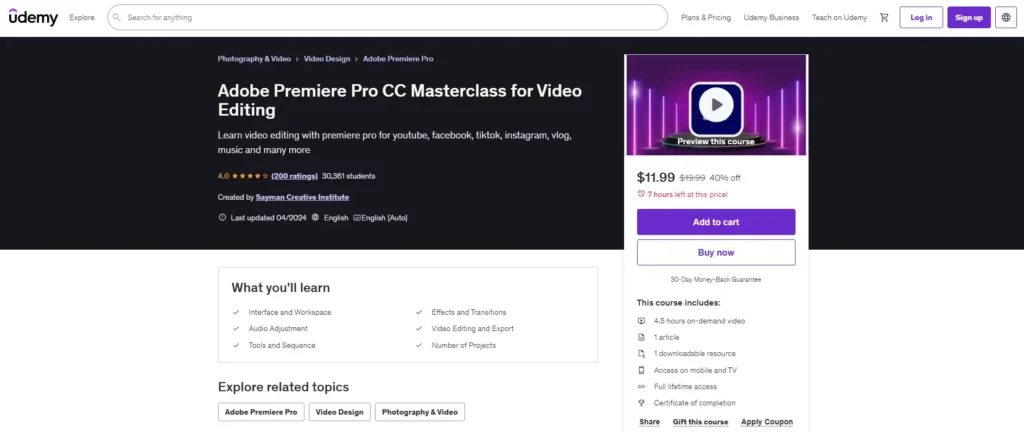
The Adobe Premiere Pro CC Masterclass, often found on platforms like Udemy, consistently ranks among the Best Online Video Editing Courses for beginners. Premiere Pro is the industry standard for professional editing across film, television, and digital media. This course is designed to take students from zero knowledge to confident proficiency.
Comprehensive Curriculum and Practical Application
This masterclass typically covers the entire post-production workflow. You start with organizing media and basic cutting, progressing quickly to advanced techniques like multi-camera editing, motion graphics, and color correction. The strength of this course lies in its project-based learning structure. Students don’t just watch lectures; they actively work on real-world footage provided by the instructor. This hands-on approach solidifies understanding and builds a portfolio simultaneously.
“Mastering the toolset is only half the battle; the real skill is learning to tell a story efficiently within that toolset.” – Jason Levine, Adobe Evangelist
The instructors usually have extensive professional experience, often working on high-profile projects. They share insider tips on optimizing workflow and keyboard shortcuts, which are invaluable for increasing editing speed. If your goal is to work in a professional editing environment, this course provides the necessary foundation.
Pros and Cons of the Premiere Pro Masterclass
| Feature | Assessment |
|---|---|
| Software Focus | Adobe Premiere Pro CC |
| Pacing | Self-paced, comprehensive |
| Cost | Highly affordable (often discounted) |
| Certification | Certificate of completion provided |
Pros:
- Covers the industry-standard software thoroughly.
- Includes downloadable project files for practice.
- Lifetime access allows for continuous review.
- Excellent value proposition for the content depth.
Cons:
- Requires a paid subscription to Adobe Creative Cloud.
- Course quality can vary slightly depending on the specific instructor.
2. DaVinci Resolve 18/19 Professional Training LinkedIn
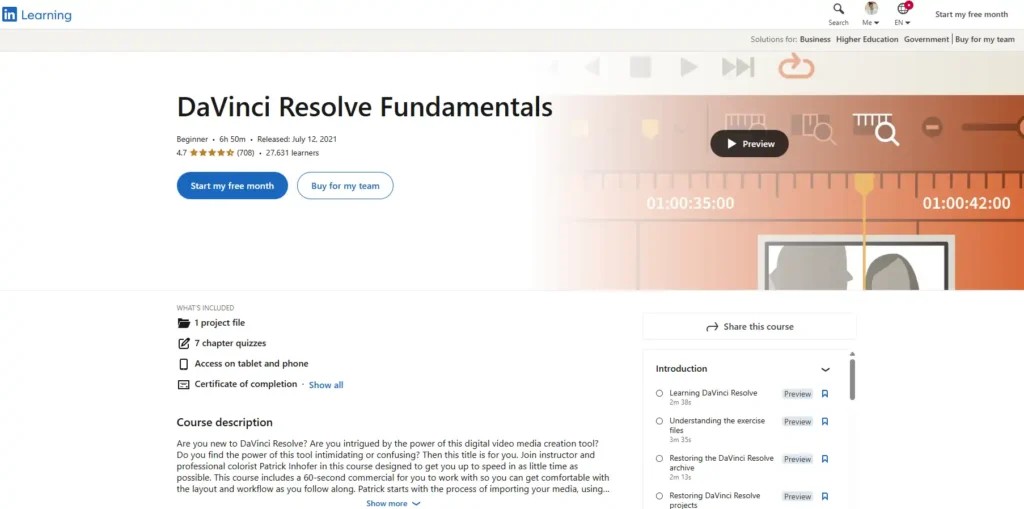
For those interested in highly technical post-production, especially color grading and visual effects, the DaVinci Resolve Complete Training is one of the Best Online Video Editing Courses. DaVinci Resolve has gained massive popularity because it is free to use while offering features that rival expensive competitors.
Focusing on Color and Advanced Workflow
This training often hosted on LinkedIn Learning (formerly Lynda.com), emphasizes Resolve’s unique strengths. While it covers standard cutting and assembly, significant time is dedicated to the ‘Color’ page, teaching professional color correction, grading techniques, and node-based workflows. This makes it ideal for filmmakers and videographers who prioritize cinematic quality.
The structure is highly professional, typical of LinkedIn Learning content. Modules are broken down into manageable segments, and quizzes ensure retention of key concepts. Furthermore, the course usually includes instruction on the ‘Fusion’ page for visual effects and the ‘Fairlight’ page for advanced audio mixing.
Expert Insight: The Power of DaVinci Resolve
DaVinci Resolve is often cited as the future of post-production due to its all-in-one nature. Learning this software gives you a competitive edge, particularly in independent filmmaking circles. The fact that the core software is free removes a major barrier for beginners.
If you are looking for the Best Online Video Editing Courses that focus on high-end visual aesthetics without the recurring software cost, this Resolve training is an excellent choice.
3. Final Cut Pro X Masterclass (Skillshare/CreativeLive)
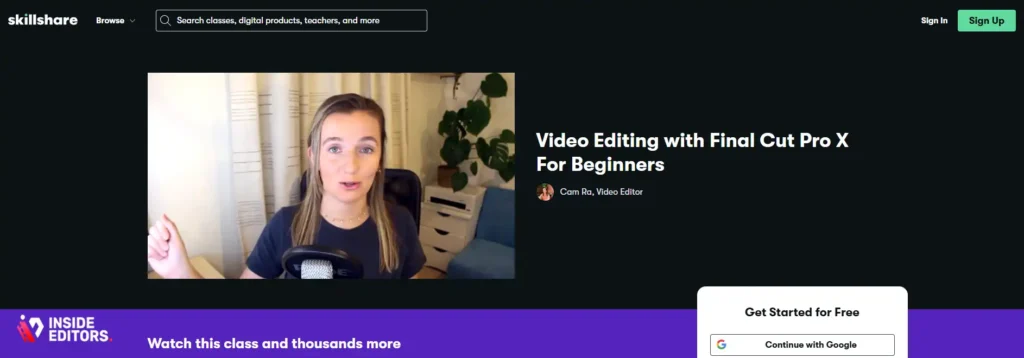
Apple users often prefer Final Cut Pro X (FCPX) for its speed, intuitive interface, and seamless integration with the Apple ecosystem. A dedicated FCPX Masterclass is essential for maximizing its potential, making it a strong contender among the Best Online Video Editing Courses.
The Apple Ecosystem Advantage
FCPX courses usually focus on efficiency and speed. The magnetic timeline is a core feature, and instructors spend time showing how to leverage it for rapid assembly and organization. These courses are typically project-driven, guiding students through creating short films, documentaries, or vlogs.
The target audience for FCPX courses is often content creators, YouTubers, and corporate video producers who need fast turnaround times. The lessons cover proxy workflows, optimized rendering, and exporting specifically for various social media platforms.
Skillshare vs. CreativeLive Structure
Platforms like Skillshare offer subscription-based access, allowing you to sample multiple FCPX instructors and styles. CreativeLive often offers more intensive, multi-day workshops led by industry veterans, sometimes focusing on niche areas like wedding video editing or documentary post-production. Both formats provide high-quality instruction tailored to the FCPX user.
4. The Complete Video Production and Editing Course
Sometimes, beginners need more than just software training; they need a holistic understanding of the entire video creation process. Courses titled “The Complete Video Production and Editing Course” address this need, covering everything from pre-production planning to final delivery.
From Shooting to Sequencing
These comprehensive programs are among the Best Online Video Editing Courses because they teach context. You learn how camera settings (frame rate, resolution) impact the edit, how to light a scene for better color grading, and how to record clean audio. This prevents common beginner mistakes where footage quality hinders the editing process.
The editing portion of these courses usually provides an overview of a popular NLE (Non-Linear Editor) like Premiere Pro or Filmora, focusing on narrative structure, pacing, and sound design principles.
“A great editor understands that the edit begins the moment the camera starts rolling. Everything is connected.” – Walter Murch, Legendary Film Editor
If you are a solo content creator responsible for both shooting and post-production, this integrated approach is invaluable.
5. Mograph Mentor & School of Motion: Motion Graphics
While primarily focused on motion graphics, programs from specialized schools like Mograph Mentor or School of Motion include intensive video editing modules. These are the Best Online Video Editing Courses for those who want to blend live-action footage with animated elements.
Advanced Skills for High-End Content
These courses are usually more rigorous and expensive than standard Udemy offerings, often involving mentorship and peer review. They focus heavily on Adobe After Effects integration with Premiere Pro. You learn advanced techniques like rotoscoping, keying, and complex compositing, which elevate standard video editing into high-end visual production.
This path is recommended for beginners who already have a strong visual sense and are aiming for positions in advertising agencies, broadcast design, or high-level corporate video production. The quality of instruction and the networking opportunities are typically superior in these specialized academies.
6. Wondershare Academy: Filmora Video Editing Guide
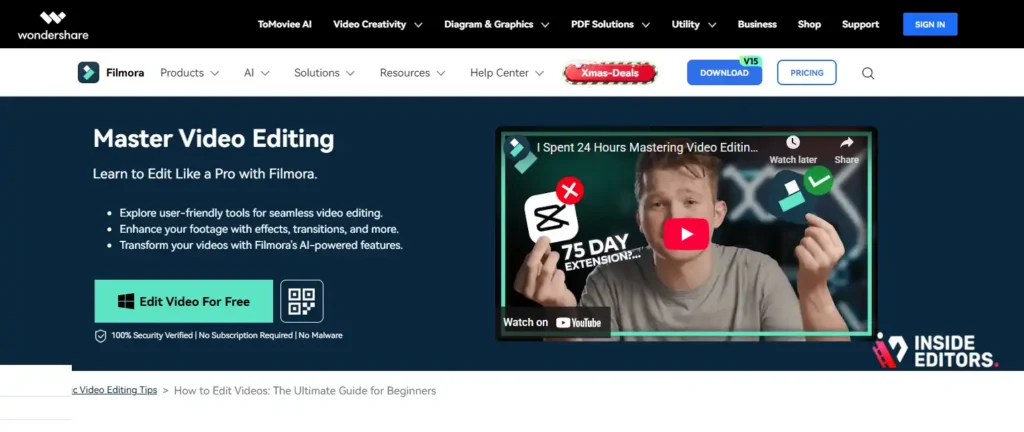
For absolute beginners who find professional software overwhelming, courses focusing on simpler, more accessible tools like Filmora are excellent entry points. Wondershare Academy often provides dedicated, high-quality training for their software.
Simplicity and Speed for Social Media
Filmora is known for its user-friendly interface and abundance of built-in effects and templates. Courses on Filmora focus on quick results, perfect for social media managers, small business owners, or casual YouTubers. They teach fundamental editing concepts-cuts, transitions, titles-using a drag-and-drop methodology.
This is arguably one of the Best Online Video Editing Courses if your priority is speed and ease of use, rather than mastering complex, industry-standard software right away. It allows you to produce polished videos quickly, building confidence before potentially transitioning to more complex tools like Premiere Pro.
7. YouTube Creator Academy: Editing Essentials
For the vast number of people whose primary goal is YouTube success, the platform’s own Creator Academy offers surprisingly effective, free training on editing essentials. While not a deep dive into specific software, it teaches the principles of effective online video editing.
Principles Over Software
The YouTube Creator Academy focuses on audience retention, pacing strategies specific to the platform, and understanding analytics. It teaches you why certain edits work better online. For example, modules often cover how to use jump cuts effectively, how to incorporate B-roll to maintain viewer interest, and optimal export settings for YouTube’s compression algorithms.
While you will need a separate course to master the software itself, this free resource provides the crucial strategic context. Combining this knowledge with one of the paid, software-specific Best Online Video Editing Courses creates a powerful learning combination.
Comparison of the Best Online Video Editing Courses

Choosing the right course depends heavily on your budget, time commitment, and desired software mastery. Here is a quick comparison of the top choices:
| Course Focus | Best For | Software | Typical Cost | Time Commitment |
|---|---|---|---|---|
| Premiere Pro Masterclass | Professional/Freelance Editors | Premiere Pro | $15 – $200 | 20-40 Hours |
| DaVinci Resolve Training | Filmmakers/Color Specialists | DaVinci Resolve | $25/month (LinkedIn) | 30-50 Hours |
| Final Cut Pro X Masterclass | Apple Ecosystem Users/Vloggers | FCPX | Subscription | 15-30 Hours |
| Mograph/School of Motion | High-End Advertising/VFX | AE/Premiere Pro | $500 – $4000 | 6-12 Weeks |
| Filmora Beginner Guide | Absolute Beginners/Small Business | Filmora | Free – $50 | 10-15 Hours |
When Learning Isn’t Enough: Go Professional
You’ve researched the Best Online Video Editing Courses, you’ve practiced the techniques, but sometimes, the demands of content creation simply outpace your ability to edit. This is a common challenge for growing businesses, busy marketers, and successful content creators. You need professional quality, fast turnaround, and consistency, but your time is better spent focusing on generating new content or running your business.
This is where professional video editing services become essential.
Inside Editors: Your Professional Post-Production Partner
At Inside Editors, we understand the pressure of maintaining a high-quality video output. We offer professional video editing services designed to take the burden of post-production off your shoulders. We are the perfect solution when you need expert results without spending hours in the editing suite.
Why choose Inside Editors?
- Professional Expertise: Our team consists of professional editors with 10+ years of experience, ensuring every video meets broadcast quality standards.
- Fast Turnaround: We know speed matters. We guarantee fast turnaround (24-72 hours) so your content stays timely and relevant.
- Unlimited Revisions: We work until you are 100% satisfied. Our service includes unlimited revisions.
- Affordable and Scalable: Our pricing starts affordably at $29/video, providing a scalable solution whether you need one video or fifty per month.
- Quality Assurance: We include essential enhancements like professional color grading and audio enhancement in every package.
By partnering with Inside Editors, you save time and focus on content creation, knowing that the final product will be professional quality that builds trust and maintains a consistent brand style across all your videos. We are ideal for YouTube creators, businesses, marketing teams, and course creators who need reliable, high-quality video output.
If you find yourself overwhelmed by the editing process, or if your videos need a professional polish that goes beyond beginner skills, consider leveraging our expertise.
Expert Tips for Maximizing Your Course Experience

Simply enrolling in one of the Best Online Video Editing Courses is only the first step. To truly gain mastery, you need to apply specific learning strategies:
1. Practice Daily and Build a Portfolio
Consistency is key in developing muscle memory for editing software. Dedicate at least 30 minutes daily to practice. Don’t just follow the course examples; start your own small projects. Edit family footage, create short vlogs, or practice cutting music to rhythm. A strong portfolio, even if built from personal projects, demonstrates your competence far better than a certificate alone.
2. Focus on Storytelling, Not Just Tools
The best editors are storytellers first and technicians second. As you learn the tools, always ask yourself: Does this cut serve the narrative? Pacing, emotional impact, and clarity are more important than fancy transitions.
“Editing is not about making things look good; it’s about making things feel right.” – Michael Kahn, Oscar-Winning Editor
3. Master Audio First
Beginners often overlook audio, but poor sound quality immediately detracts from a video’s professionalism. Learn how to normalize audio levels, remove background noise, and use music and sound effects effectively. Many of the Best Online Video Editing Courses dedicate specific modules to sound design-pay close attention to them.
4. Understand Legal and Ethical Considerations
Ensure your course covers the basics of copyright, fair use, and licensing for music and stock footage. Using unlicensed material can lead to serious legal issues, especially if you plan to monetize your videos. Ethical editing-avoiding deceptive cuts or manipulation-is also a hallmark of a professional editor.
Final Verdict: Which Course is Right for You?

Choosing the definitive “best” course is subjective, but we can offer clear recommendations based on common beginner profiles:
If you are aiming for a career in film, television, or high-end corporate video: The Adobe Premiere Pro CC Masterclass (Udemy/Skillshare) is your best bet, as Premiere Pro remains the most widely used software in professional production houses.
If you prioritize cinematic quality and color grading, and want to avoid subscription fees: The DaVinci Resolve Complete Training is the clear winner. Its advanced color tools are unmatched, and the free software is a huge advantage.
If you are a content creator on a tight schedule using a Mac: The Final Cut Pro X Masterclass offers the fastest, most streamlined workflow for rapid content creation.
Ultimately, the Best Online Video Editing Courses are those that keep you engaged and motivated. Start with a course that aligns with your chosen software and learning style, commit to daily practice, and soon you will be transforming your raw footage into polished, professional videos.
If, however, your focus needs to shift from editing to content creation, remember that Inside Editors is here to provide the professional post-production support you need. We ensure your content looks its best, fast and affordably.
Frequently Asked Questions
What is the best software for beginner editors?
For beginners, DaVinci Resolve is highly recommended because the core software is free and incredibly powerful. However, if you plan to work professionally, Adobe Premiere Pro is the industry standard and features heavily in the Best Online Video Editing Courses.
How long does it take to learn video editing?
Most comprehensive Best Online Video Editing Courses take between 20 and 40 hours to complete. Achieving proficiency, however, requires consistent daily practice for several months to master the tools and develop a strong sense of pacing and storytelling.
Are free video editing courses worth taking?
Free courses, such as those offered by the YouTube Creator Academy, are excellent for learning strategic principles and basic concepts. However, paid Best Online Video Editing Courses usually offer deeper dives, project files, and structured learning paths essential for professional mastery.
Should I focus on tools or storytelling first?
You must learn both simultaneously. While the tools are necessary to execute the vision, the best editors prioritize storytelling. The Best Online Video Editing Courses teach you how to use the software to enhance, rather than dictate, the narrative.
What is E.E.A.T. in the context of editing courses?
E.E.A.T. stands for Experience, Expertise, Authoritativeness, and Trustworthiness. When choosing the Best Online Video Editing Courses, look for instructors with proven professional experience and authoritative knowledge in the specific software they teach.


