


Capturing the energy and drama of sports requires more than just a camera; it demands specialized tools to transform raw footage into compelling highlights. Whether you are cutting together game-winning goals, analyzing player performance, or creating dynamic content for social media, selecting the right Sports Video Editing Software is crucial. The software must handle high frame rates, allow for precision cuts, and offer effects that amplify the action without slowing down your workflow.
This comprehensive guide from Inside Editors reviews the top five contenders in the market. We break down their features, assess their usability for sports applications, and provide expert recommendations. If you’re a coach, an independent content creator, or a professional sports media team, finding the perfect Sports Video Editing Software will elevate your production quality and engage your audience like never before.
Understanding the Unique Demands of Sports Video Editing
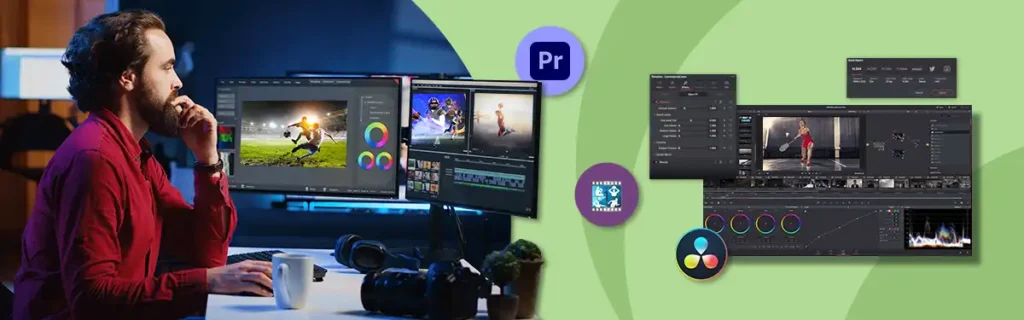
Editing sports footage presents specific challenges that general-purpose video editors often struggle with. Sports footage is typically fast-paced, high-resolution, and often shot at high frame rates (like 60fps or 120fps) to allow for smooth slow-motion effects.
Why Standard Editors Fall Short
Many consumer-grade editors are designed for casual use or cinematic storytelling, which emphasizes mood and narrative pace. Sports, however, demands technical precision. You need tools optimized for speed ramping, motion tracking, and frame-accurate cutting. If your software can’t handle large 4K files efficiently or crashes when applying complex speed adjustments, your editing process will become frustratingly slow.
“The core challenge in sports editing isn’t the complexity of the effects, but the sheer volume and velocity of the footage. You need stability and speed above all else.” – Mark Jensen, Professional Sports Content Director
Furthermore, good Sports Video Editing Software must integrate features useful for analysis, such as drawing tools, score overlays, and robust color correction to ensure uniform lighting across different venues and times of day. This blend of technical capability and specialized features separates the best tools from the rest.
1. Adobe Premiere Pro: The Industry Standard for Dynamic Action
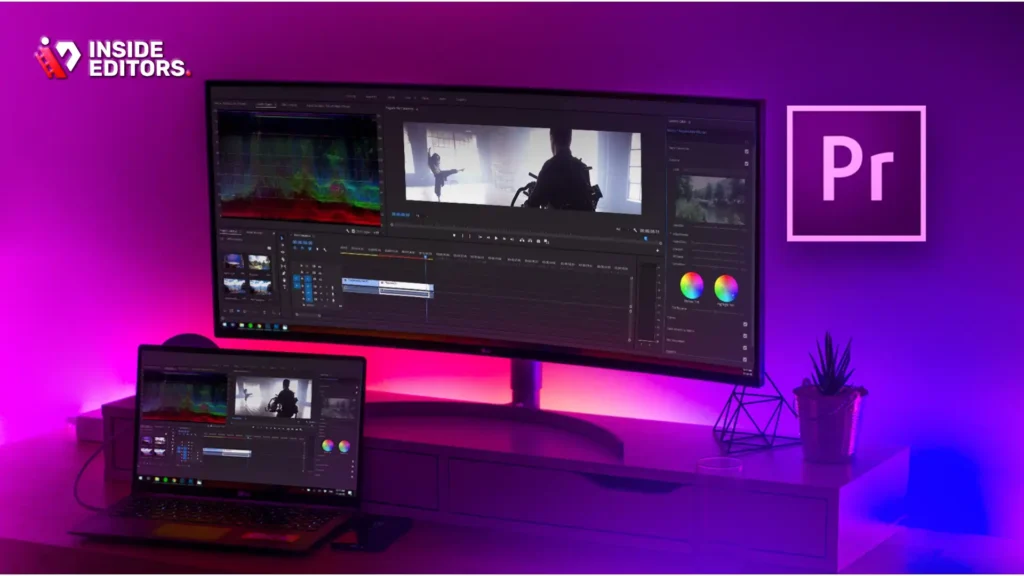
Adobe Premiere Pro is arguably the most recognized professional video editing suite globally, and for good reason. Its robust features make it an excellent choice for high-level sports production, from major league highlights to detailed athlete profiles.
Key Features for Sports Editors
Premiere Pro excels in handling high-resolution and high-frame-rate footage. Its native integration with the Adobe Creative Cloud ecosystem means editors can seamlessly move clips into After Effects for advanced motion graphics (like scoreboards or animated statistics) or Audition for professional audio cleanup.
Its Lumetri Color panel offers deep control over color grading, essential for matching footage shot under varying stadium lights or outdoor conditions. For sports, the Dynamic Trimming tool allows for extremely precise cuts, ensuring you hit the exact moment of impact or celebration. The ability to create custom presets for speed ramping is a massive time-saver for editors constantly needing to shift between real-time and slow-motion playback.
Strengths and Limitations
| Strength | Limitation |
|---|---|
| Superior Performance: Handles 4K and 8K footage with proxy workflows. | Steep Learning Curve: Requires significant time investment for beginners. |
| Integrated Ecosystem: Seamless link to After Effects for graphics. | Subscription Model: Requires a monthly or annual commitment. |
| Advanced Tools: Excellent color correction, audio mixing, and motion tracking. | Resource Intensive: Demands a powerful computer setup. |
While the subscription cost might deter hobbyists, the professional-grade output and workflow efficiency make Premiere Pro the top choice for teams and creators focused on high-volume, high-quality sports content.
2. DaVinci Resolve Studio: Precision and Professional Color Grading
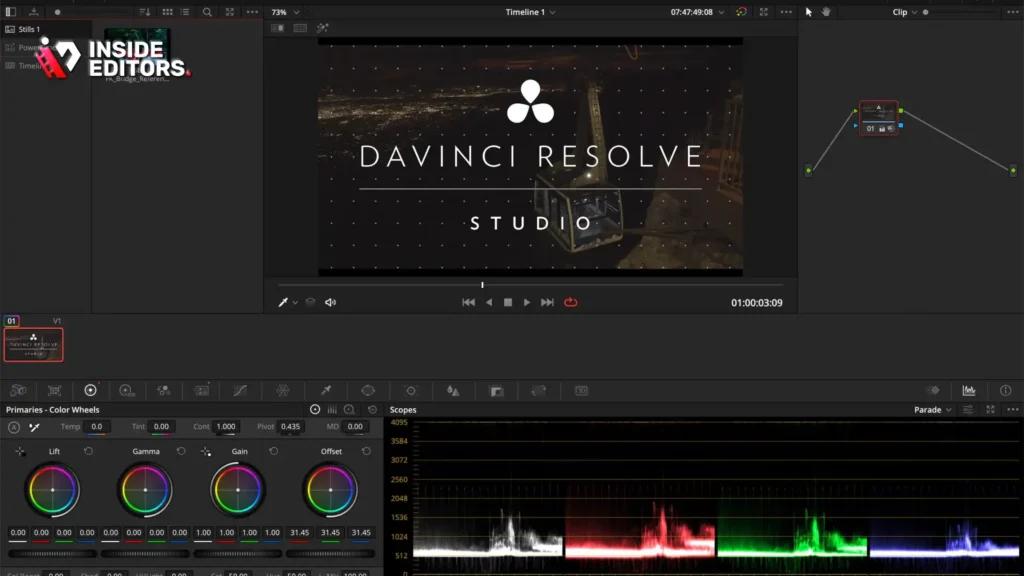
DaVinci Resolve, particularly the paid Studio version, has rapidly become a powerhouse in the video editing world. While initially known for its industry-leading color correction capabilities, its editing (Cut and Edit pages) and motion graphics (Fusion page) tools are now incredibly competitive, making it a strong contender for the title of best Gaming Video Editing Software.
Focusing on Detail and Analysis
For sports analysis and cinematic highlights, Resolve’s Color page is unmatched. Editors can isolate specific colors (like team jerseys) for grading or use advanced tracking features to follow moving objects with effects or text overlays. This is invaluable when analyzing player movement or adding tactical graphics.
The Cut page is specifically optimized for fast turnaround editing, which is perfect for generating quick social media highlights immediately after a game. Furthermore, the stabilization tools are highly effective at smoothing out shaky handheld footage common in sideline shooting.
Expert Insight on DaVinci Resolve
DaVinci Resolve offers a free version that is remarkably capable, but the Studio version unlocks essential features for professional sports editing, such as advanced noise reduction, HDR grading, and multi-user collaboration, which is crucial for larger production teams.
“Resolve’s free version is a fantastic entry point, but the Studio license is a game-changer for sports editors needing flawless slow-motion rendering and collaborative project management.” – Sarah Chen, Film Editor and Post-Production Specialist
3. Final Cut Pro: Optimized Workflow for Apple Users
For those operating within the Apple ecosystem, Final Cut Pro (FCP) offers an incredibly fast and streamlined editing experience. Its design philosophy emphasizes speed and efficiency, making it ideal for editors who need to turn around content quickly, such as daily sports news or tournament recaps.
The Power of Magnetic Timeline
FCP’s standout feature is the Magnetic Timeline, which eliminates track collisions and simplifies organization. For sports editors dealing with multiple angles, reactions, and replays, the ability to quickly organize and rearrange clips without gaps is a major workflow advantage.
It also boasts excellent native support for Apple’s ProRes codecs, which are often used in professional sports cameras, ensuring smooth playback and rendering. The built-in motion graphics templates and effects are high quality and easy to customize, allowing editors to quickly add professional score graphics or lower thirds without needing external software.
Ideal Use Cases for Sports Video Editing Software
Final Cut Pro shines in environments where speed is paramount. If you are a YouTube creator covering a specific sport or a small media team needing to publish highlights within hours of a game finishing, FCP’s optimized performance on Mac hardware provides a notable edge. Its one-time purchase price also makes it appealing compared to the ongoing subscription costs of Adobe.
4. CyberLink PowerDirector: Speed and Accessibility
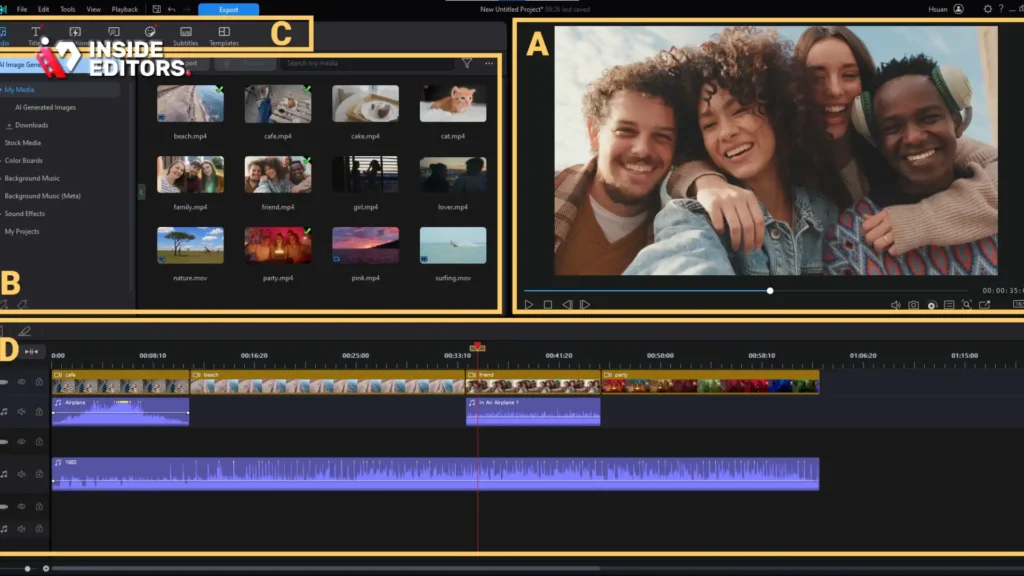
CyberLink PowerDirector strikes a balance between professional features and user accessibility. It is a powerful, yet relatively easy-to-learn, option that serves independent creators and small businesses needing high-quality Sports Video Editing Software without the complexity of true professional suites.
User-Friendly Features for Quick Edits
PowerDirector is known for its speed and intuitive interface. It offers excellent tools for action camera footage, including stabilization, lens correction, and speed adjustment controls that are simple to apply. This makes it perfect for editing POV footage from helmets or drones, common in extreme sports or training videos.
The software includes robust motion tracking capabilities, allowing editors to easily follow players or equipment with text, graphics, or blurring effects. Its extensive library of effects and templates, including pre-made sports graphics, helps users achieve a polished look quickly.
Comparison of Top Sports Video Editing Software
| Software | Best For | Pricing Model | Key Sports Feature | Learning Curve |
|---|---|---|---|---|
| Adobe Premiere Pro | High-end professional production, complex graphics. | Subscription (Monthly/Annual) | Best integration with After Effects for custom graphics. | High |
| DaVinci Resolve Studio | Color-critical work, detailed analysis, cinematic sports highlights. | One-time purchase (Free version available) | Unmatched color grading and noise reduction. | Medium-High |
| Final Cut Pro | Mac users, fast turnaround, efficient workflow. | One-time purchase | Magnetic Timeline and optimized Mac performance. | Medium |
| CyberLink PowerDirector | Independent creators, fast action camera edits, ease of use. | Subscription or One-time purchase | Intuitive speed adjustments and action camera tools. | Low-Medium |
| Wondershare Filmora | Beginners, social media content, quick effects. | Subscription or Perpetual License | Massive library of easy-to-use templates and effects. | Low |
5. Wondershare Filmora: The Best Entry-Level Sports Video Editing Software

For beginners, social media managers, or those who need to produce high volumes of short, engaging clips quickly, Wondershare Filmora is an excellent choice. It simplifies the editing process while still offering powerful features necessary for dynamic sports content.
Simplified Workflow for Social Media
Filmora excels at providing professional-looking results with minimal effort. Its interface is clean and intuitive. For sports content, its standout features include the instant mode (which auto-generates videos from clips), and a vast library of transitions, effects, and titles specifically designed for action sequences.
If your primary goal is creating short, punchy clips for Tiktok Video Editing Software, Instagram Reels, or YouTube Shorts, Filmora allows you to apply speed ramps, split screens, and dynamic text overlays in minutes, rather than hours. It is the most accessible Sports Video Editing Software on this list.
Addressing Common Editing Mistakes
One common mistake new sports editors make is over-editing or using too many distracting transitions. Filmora’s guided approach helps curb this tendency by offering curated, high-quality effects that enhance, rather than detract from, the action.
The Professional Alternative: Outsourcing Your Sports Video Editing

While choosing the right software is vital, the reality for many content creators, coaches, and small marketing teams is that time is the most valuable commodity. Learning complex software like Premiere Pro or Resolve requires hundreds of hours, and even mastering Filmora takes time away from capturing new footage or managing your team.
This is where professional video editing services become an invaluable asset. If you find yourself spending more time editing than creating, or if your current software setup is limiting your output quality, consider leveraging expert help.
Inside Editors: Your Professional Video Editing Partner
Inside Editors offers professional video editing services designed specifically for content creators, businesses, and marketers who demand high quality and fast turnaround times. We understand the unique requirements of sports footage-the need for precision cuts, smooth slow-motion, and dynamic graphics.
Our professional editing team has 10+ years of experience handling all types of footage, ensuring your sports highlights, training videos, or promotional content look polished and professional. We handle the technical complexities-color grading, audio enhancement, and file optimization-so you can focus entirely on capturing the action.
Our workflow is simple, efficient, and built around speed:
- Submit Footage: You upload your raw clips.
- Professional Editing: Our expert editors work on your project, applying industry-standard techniques.
- Fast Delivery: We guarantee a fast turnaround (24-72 hours).
- Unlimited Revisions: We offer unlimited revisions until you are completely satisfied.
With affordable pricing starting at $29/video, Inside Editors provides a scalable solution for growing channels, ensuring consistent brand style and professional quality that builds trust with your audience.
Deep Dive: Essential Features for Sports Video Editing Software

When evaluating any Sports Video Editing Software, several features are non-negotiable for effective sports production. These elements determine how efficiently you can work and the quality of the final output.
High Frame Rate (HFR) and Slow-Motion Control
Sports footage often relies on slow motion to emphasize dramatic moments. The software must efficiently handle footage shot at 60fps, 120fps, or even higher. Look for dedicated tools for speed ramping (changing speed within a single clip) and optical flow interpolation, which creates smoother slow-motion effects by generating intermediate frames.
Motion Tracking and Graphics Overlays
Scoreboards, player names, and analytical graphics must often follow moving subjects. Robust motion tracking automatically attaches these elements to players or balls, saving hours of manual keyframing. This feature is essential for professional-looking analysis and highlight reels.
Multi-Cam Editing
If you are covering a game or event with multiple cameras (e.g., wide shot, close-up, sideline), multi-cam editing simplifies the process of syncing and switching between angles. All top-tier Sports Video Editing Software offers this, but the ease of use varies significantly.
“A common mistake is neglecting audio. The roar of the crowd, the squeak of the shoes, the sound of the hit-these are crucial components of the viewer experience. Good software must allow for detailed audio mixing and cleanup.” – Dr. Elena Rodriguez, Media Production Lecturer
Maximizing Your Workflow: Tips for Sports Editors
Choosing the best Sports Video Editing Software is only half the battle. Optimizing your workflow ensures you meet tight deadlines and maintain quality.
1. Utilize Proxy Workflows
Sports footage files are massive. If your computer struggles, use proxy editing. This involves creating smaller, lower-resolution versions of your clips for editing. When the edit is complete, the software automatically links back to the original high-resolution files for final rendering. Premiere Pro and DaVinci Resolve handle this exceptionally well.
2. Create Custom Templates and Presets
Repetitive tasks-like adding a team logo, applying a specific color grade, or using a standard speed ramp-should be saved as presets. Investing an hour to create these templates can save dozens of hours over a season. This applies especially to consistent branding elements required by businesses and growing content channels.
3. Master Keyboard Shortcuts
In fast-paced sports editing, every second counts. Relying on keyboard shortcuts for cutting, trimming, and navigating the timeline dramatically increases speed. Dedicate time to mastering the shortcuts for your chosen Video Editing Software For Chromebook.
4. Understand Licensing and Distribution
Before publishing, ensure you have the necessary licenses for any music or stock footage used. Distributing sports highlights, especially those featuring professional leagues, often involves complex copyright issues. Always check the usage rights for the footage you capture and the assets you use.
Final Verdict and Recommendation
The best Sports Video Editing Software depends entirely on your budget, skill level, and output requirements.
For Professional Teams and Agencies requiring the absolute highest quality and integration: Adobe Premiere Pro or DaVinci Resolve Studio are the clear winners. Premiere Pro offers superior ecosystem integration, while Resolve offers unmatched color grading.
For Mac-Based Content Creators needing speed and efficiency: Final Cut Pro provides an optimized, fast workflow.
For Beginners and Social Media Focus: Wondershare Filmora or CyberLink PowerDirector offer the best combination of features and ease of use.
However, if your goal is professional-grade consistency and you lack the time or expertise to master these complex tools, the most strategic choice is often to partner with experts. Inside Editors provides the professional quality that builds trust and a consistent brand style across all your videos. We offer professional Corporate Video Editing Software with a team of experienced editors, fast turnaround times (24-72 hours), and unlimited revisions, allowing you to scale your content production affordably.
FAQ
What is the best free sports video editor?
DaVinci Resolve offers the most powerful free version available. It includes professional editing tools and industry-leading color grading, making it excellent free Sports Video Editing Software for detailed work, though it requires a strong computer.
Do I need high frame rates for sports videos?
Yes, high frame rates (60fps or 120fps) are crucial. They allow you to slow down the action smoothly in your Sports Video Editing Software, emphasizing key moments without stuttering or loss of clarity. This is essential for replays.
Is Premiere Pro good for sports editing?
Premiere Pro is excellent for sports editing. It handles high-resolution, high frame rate footage efficiently and integrates seamlessly with After Effects for complex motion graphics like scoreboards and statistics, making it top-tier Sports Video Editing Software.
How long does sports video editing take?
The time varies greatly depending on the complexity and length. A 30-second highlight reel might take 2-4 hours, while a full game analysis could take 8+ hours. Using efficient Sports Video Editing Software and templates speeds up the process significantly.
What is motion tracking used for in sports?
Motion tracking is used to automatically attach graphics, text, or blurring effects to moving objects, such as following a specific player or tracking a ball. This adds a professional analytical layer to your Sports Video Editing Software workflow.
Should I use a subscription or one-time license?
If you edit frequently and need constant updates, a subscription (like Adobe) is better. If you prefer long-term ownership and stability, a one-time license (like Final Cut Pro or Resolve Studio) for your Sports Video Editing Software is often more cost-effective.
Can I outsource my sports video editing?
Absolutely. Services like Inside Editors specialize in professional video editing services, offering fast turnaround and expert quality. This saves you time and ensures your content maintains a consistent, high-quality professional standard.


