


The modern digital creator often wears two hats: the meticulous video editor demanding perfect color accuracy, and the competitive gamer requiring lightning-fast response times. Finding a single display that excels in both arenas is the ultimate challenge. It requires balancing professional-grade fidelity with high-refresh-rate performance.
This comprehensive guide delves into the technical specifications, real-world performance, and top models available today to help you select the best monitor for video editing and gaming. We will explore the critical features that bridge the gap between these two demanding activities, ensuring you invest in a display that enhances both your creative workflow and your competitive edge.
Understanding the Dual Demand: Why Finding the Best Monitor for Video Editing and Gaming is Difficult

Video editing and gaming traditionally have conflicting requirements. Editors prioritize color depth, resolution, and static image quality, while gamers focus on speed, responsiveness, and motion clarity. A true hybrid must deliver uncompromising performance on both fronts.
The Editor’s Imperative: Color and Clarity
Video editing requires absolute accuracy. Professionals need monitors that can display the full spectrum of colors accurately, ensuring that the final output looks consistent across different viewing platforms. Key metrics here include high resolution (4K is often standard), excellent color gamut coverage (like 100% sRGB and high DCI-P3), and factory calibration.
The Gamer’s Edge: Speed and Responsiveness
Gaming, especially competitive esports, demands speed. Low input lag, fast response times (1ms or less), and high refresh rates (144Hz, 240Hz, or higher) are essential. These features minimize motion blur and screen tearing, providing the smooth visual feedback necessary for quick reactions.
Blending the Worlds: The Hybrid Solution
The convergence of technology, particularly the advancement of panel types like OLED and high-end IPS, has made the hybrid monitor a reality. These displays offer the deep blacks and wide color coverage necessary for editing, combined with the rapid pixel response and high refresh rates needed for the best monitor for video editing and gaming.
Technical Deep Dive: Essential Features for a Hybrid Display
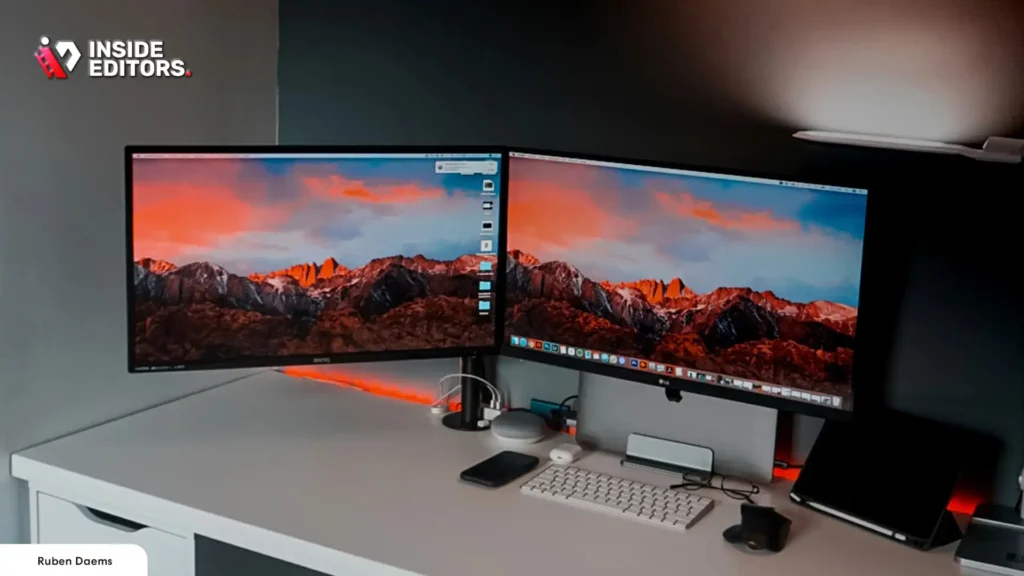
Selecting the best monitor for video editing and gaming requires scrutinizing several technical specifications. Ignoring any one of these can compromise performance in the other field.
Resolution and Screen Size: Finding the Sweet Spot
Why 4K is the New Standard for Creators
For video editing, higher resolution means more screen real estate for timelines and panels, and crucially, the ability to edit native 4K footage pixel-for-pixel. While 1440p (QHD) is popular for competitive gaming due to lower processing demands, 4K (UHD) is increasingly becoming the baseline for professional content creation.
“A higher pixel density not only improves image sharpness for editing but also reduces the perceived screen door effect in fast-paced games, offering a cleaner visual experience overall.” – Dr. Evelyn Reed, Display Technology Analyst
Ideal Screen Dimensions
For a dual-purpose monitor, 27 inches is often considered the minimum viable size for productive 4K editing. However, 32 inches offers a superior experience, balancing screen real estate with comfortable viewing distance. Ultrawide monitors (21:9 or 32:9) are excellent for timeline management in editing but can sometimes present compatibility issues or distorted fields of view in certain games.
Panel Technology: IPS vs. OLED
The panel type is perhaps the most crucial decision when seeking the best monitor for video editing and gaming.
| Panel Type | Pros for Editing | Pros for Gaming | Cons for Hybrid Use |
|---|---|---|---|
| IPS (In-Plane Switching) | Excellent color accuracy, wide viewing angles, reliable longevity. | Good response times (down to 1ms GtG), high refresh rates available. | Contrast ratio is generally lower than OLED, resulting in less deep blacks. |
| OLED (Organic Light-Emitting Diode) | Perfect blacks (infinite contrast), exceptional color volume, instantaneous pixel response. | Near-instantaneous response time (0.1ms), unparalleled motion clarity. | Risk of burn-in (especially with static editing interfaces), higher cost. |
| VA (Vertical Alignment) | Excellent static contrast ratio (deep blacks). | Decent refresh rates, but often suffers from “ghosting” (slower response times). | Color accuracy and viewing angles are typically inferior to IPS and OLED. |
Currently, high-end IPS panels offer the best monitor for video editing and gaming balance due to their reliability and excellent color fidelity combined with fast response times. However, OLED is rapidly closing the gap, offering superior visual quality if burn-in risks are managed.
Color Gamut and Calibration
For professional video work, look for monitors covering at least 99% of the sRGB space, and ideally 95% or more of the DCI-P3 space (the standard for cinematic and HDR content). Factory calibration is essential; a monitor that comes with a calibration report ensures accuracy right out of the box. Delta E values below 2 are considered excellent for professional work.
Refresh Rate and Response Time
These are the primary requirements for gaming performance.
- Refresh Rate (Hz): This dictates how many times the image updates per second. While 60Hz is standard for editing, 144Hz is the minimum for serious gaming, with 240Hz being preferred for competitive play.
- Response Time (ms): This measures how quickly a pixel can change from one color to another (Gray-to-Gray or GtG). For gaming, 1ms GtG is the standard to prevent motion blur. OLED monitors offer response times far below 1ms, providing exceptional clarity.
Adaptive Sync Technologies
To eliminate screen tearing and stuttering—a major issue when frame rates fluctuate—look for monitors compatible with NVIDIA G-Sync or AMD FreeSync. These technologies synchronize the monitor’s refresh rate with the GPU’s output, ensuring smooth gameplay.
Top 6 Best Monitor for Video Editing and Gaming: Detailed Reviews
We have selected six monitors that successfully bridge the gap between professional color accuracy and high-speed gaming performance.
1. LG UltraGear 32GQ950-B (The High-Refresh 4K Hybrid)
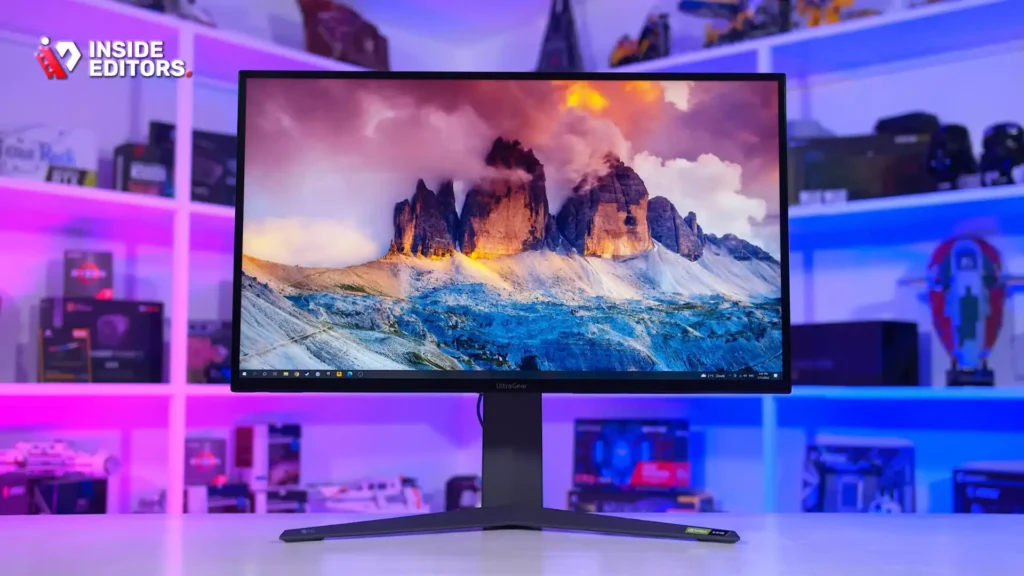
The LG UltraGear series has successfully targeted the hybrid user. The 32GQ950-B is a 32-inch 4K IPS display that manages to hit a 144Hz native refresh rate (overclockable to 160Hz) while maintaining excellent color accuracy.
Key Features and Performance
This monitor boasts 98% DCI-P3 coverage and a fast 1ms GtG response time, making it a strong contender for the best monitor for video editing and gaming. The IPS panel provides wide viewing angles essential for collaborative editing sessions. Its high pixel density makes 4K editing incredibly sharp, and the 144Hz refresh rate ensures smooth, tear-free gaming, especially when paired with a powerful GPU.
Pros and Cons
- Pros: True 4K resolution, excellent DCI-P3 coverage, high 144Hz refresh rate, strong G-Sync/FreeSync compatibility.
- Cons: Contrast ratio is typical for IPS (not as deep as OLED), high price point.
2. Dell Alienware AW3423DWF (The Ultrawide OLED Experience)
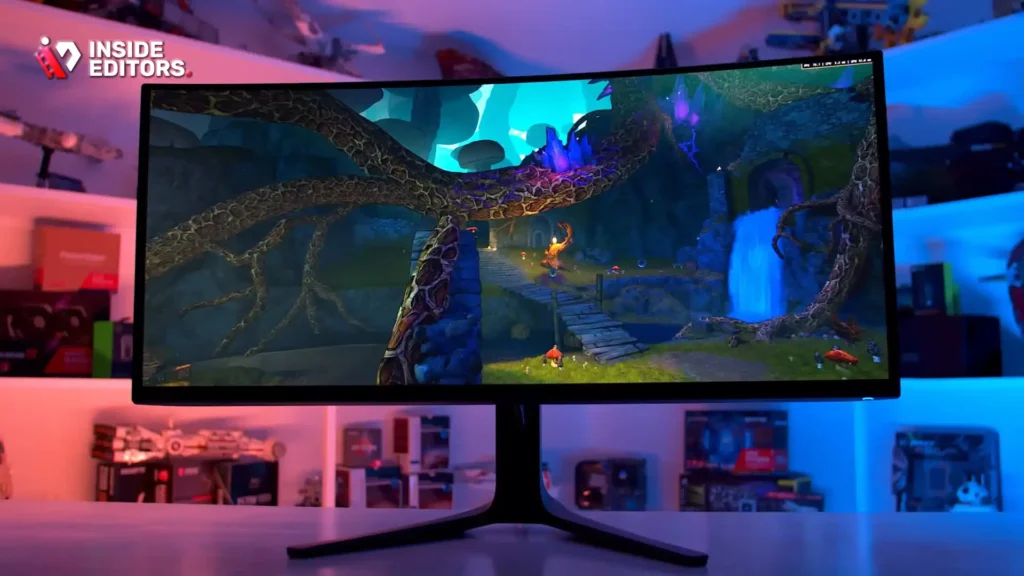
While technically an ultrawide format, the AW3423DWF utilizes QD-OLED technology, offering an unparalleled visual experience. This monitor provides the perfect blacks and infinite contrast crucial for HDR video editing, combined with the instantaneous response time OLED is known for.
Key Features and Performance
The 3440×1440 resolution provides vast timeline space for editing, and the 165Hz refresh rate makes it incredibly fast for gaming. The QD-OLED panel delivers 99.3% DCI-P3 coverage, making color grading a dream. Although ultrawide formats aren’t universally supported in all games, the immersive experience is transformative. This is arguably the best monitor for video editing and gaming if you prioritize contrast and speed above all else.
Pros and Cons
- Pros: Perfect contrast, instantaneous response time, stunning color volume, immersive ultrawide format.
- Cons: Potential long-term burn-in risk (though mitigated by OLED technology), 1440p resolution (not native 4K), ultrawide format may not suit all users.
3. ASUS ProArt PA32UCG-K (The Professional’s Choice with Gaming Capability)
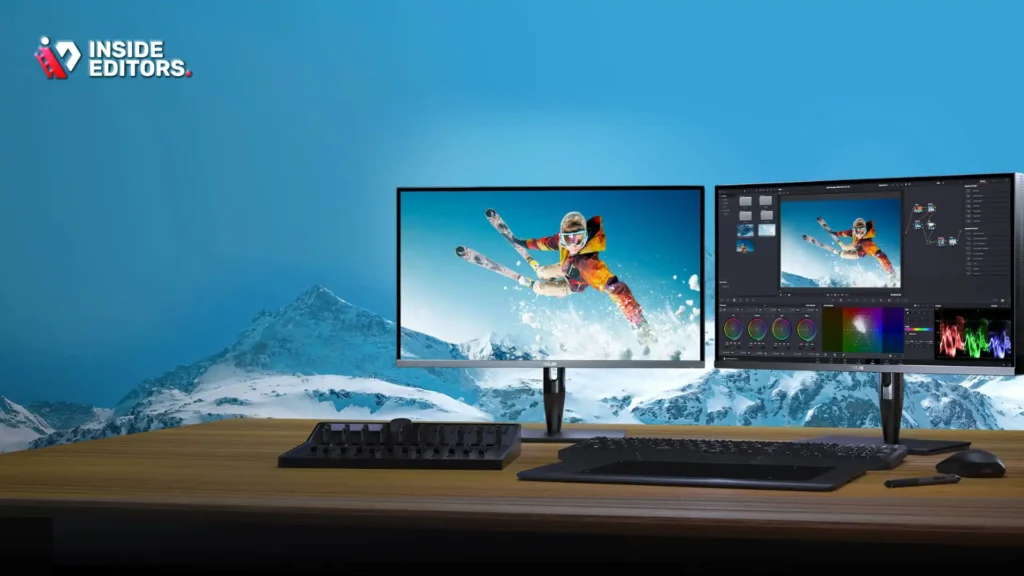
The ProArt series is designed primarily for color professionals, but the PA32UCG-K includes features that make it surprisingly effective for gaming. It is a 32-inch 4K Mini-LED display offering incredible HDR performance (up to 1600 nits peak brightness).
Key Features and Performance
Its primary strength is color accuracy, covering 99% DCI-P3 and 100% Adobe RGB. The Mini-LED backlight provides hundreds of local dimming zones, drastically improving contrast over standard IPS. Crucially, it supports a variable refresh rate up to 120Hz, which, while lower than dedicated gaming monitors, is sufficient for most non-competitive gamers seeking a smooth experience. If your workflow is 80% editing and 20% casual gaming, this is the best monitor for video editing and gaming focused on fidelity.
Pros and Cons
- Pros: Industry-leading color accuracy and HDR performance, Mini-LED technology for deep blacks, extensive calibration options.
- Cons: Very expensive, 120Hz refresh rate is lower than dedicated gaming options, heavy and bulky design.
4. Samsung Odyssey Neo G7 (The Curved 4K Powerhouse)
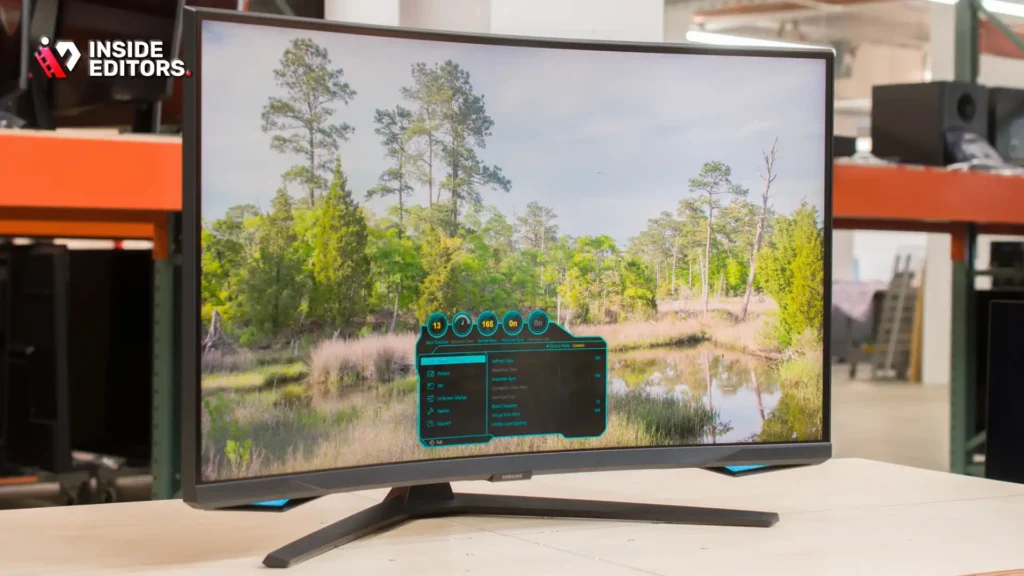
The Samsung Neo G7 offers a 32-inch 4K panel with a 165Hz refresh rate and Mini-LED technology (Quantum Matrix Technology). Its 1000R curvature is highly immersive for gaming and provides a comfortable viewing experience for editing large timelines.
Key Features and Performance
This monitor excels in HDR content, hitting HDR 1000 standards. The Mini-LED backlighting provides deep contrast and excellent local dimming zones, making it superb for editing high-contrast footage. The 165Hz refresh rate and 1ms response time ensure that fast-paced games are handled flawlessly. The combination of 4K resolution and high refresh rate makes it a strong contender for the title of best monitor for video editing and gaming.
Pros and Cons
- Pros: Excellent HDR performance, high 165Hz refresh rate at 4K, deep contrast thanks to Mini-LED.
- Cons: The 1000R curve is aggressive and polarizing; some editors prefer a flat screen for geometric accuracy.
5. Gigabyte M28U (The Budget 4K/144Hz Entry)
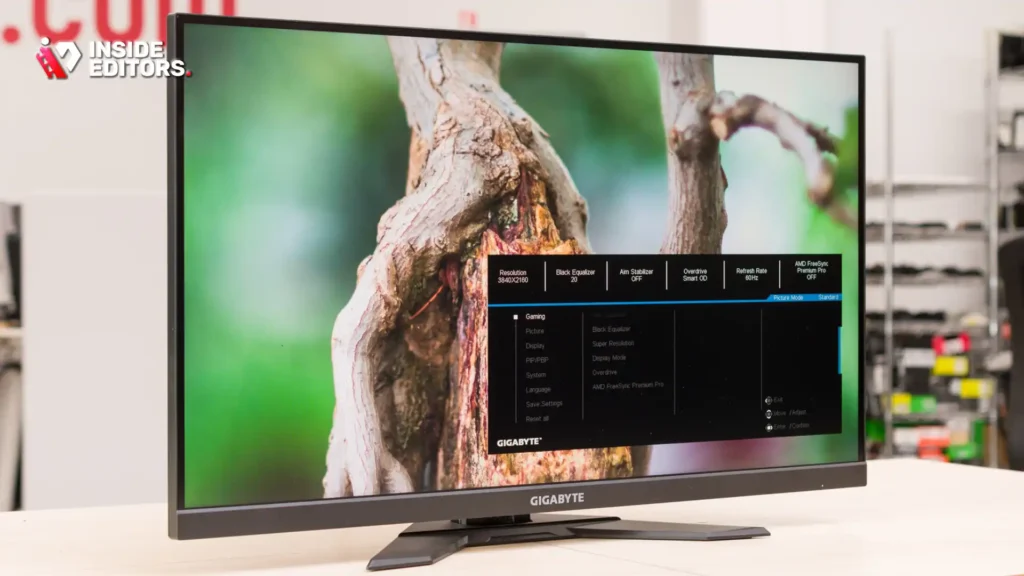
For users seeking high performance without the premium price tag of Mini-LED or OLED, the Gigabyte M28U provides exceptional value. It is a 28-inch 4K IPS display running at 144Hz.
Key Features and Performance
The M28U is often cited as the entry-level choice for the best monitor for video editing and gaming because it hits the critical benchmarks: 4K resolution, 144Hz refresh rate, and good color coverage (90% DCI-P3). While its HDR performance is modest compared to the Mini-LED options, its standard color accuracy is strong enough for non-professional editing work and content creation. It also features a built-in KVM switch, a bonus for users who switch between a PC and a laptop.
Pros and Cons
- Pros: Excellent value proposition, strong core specs (4K/144Hz), good color accuracy for the price, KVM switch included.
- Cons: Modest HDR performance, smaller 28-inch size might feel cramped for complex 4K editing timelines.
6. Sony InZone M9 (The Console-Focused Hybrid)
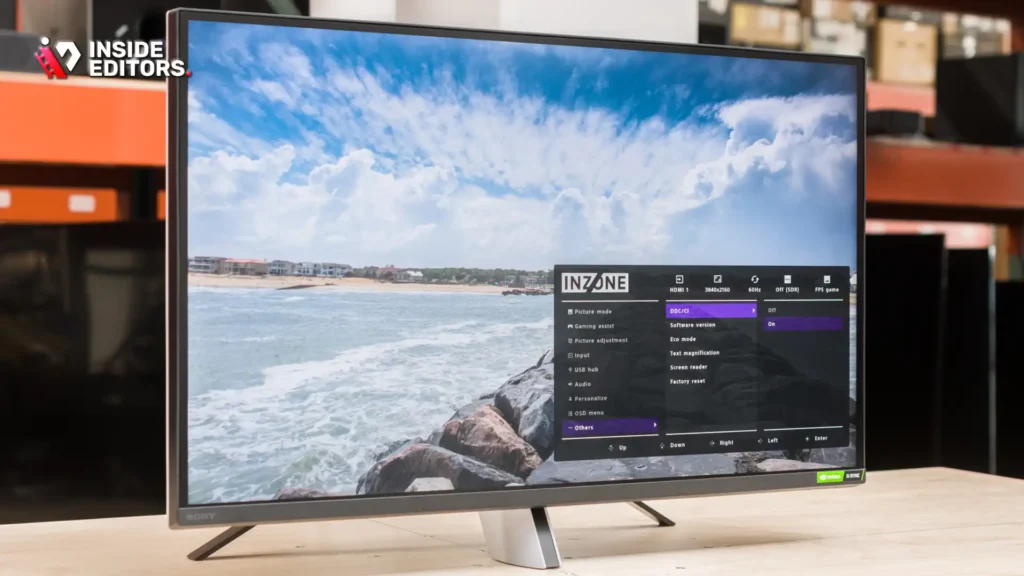
Designed with the PlayStation 5 in mind, the Sony InZone M9 is a 27-inch 4K 144Hz monitor that also performs admirably in professional settings. It features Full Array Local Dimming (FALD), offering better contrast than standard IPS monitors.
Key Features and Performance
The M9 offers strong color accuracy, hitting 95% DCI-P3. Its FALD backlight enhances HDR editing capabilities, providing deeper blacks and brighter highlights. For gaming, it supports HDMI 2.1, allowing 4K/120Hz gaming on modern consoles and PCs. Its 1ms GtG response time ensures competitive performance. This monitor is ideal for content creators who frequently edit footage captured on consoles.
Pros and Cons
- Pros: Excellent compatibility with PS5 (Auto HDR Tone Mapping), strong color and contrast for a non-OLED display, 4K/144Hz performance.
- Cons: Only 27 inches (smaller for 4K editing), FALD zones are fewer than Mini-LED options.
Comparison Table: Finding Your Perfect Match
To simplify the decision, here is a side-by-side comparison of the top contenders for the best monitor for video editing and gaming:
| Monitor Model | Panel Type | Resolution | Refresh Rate (Max) | DCI-P3 Coverage | Peak Brightness | Price Tier |
|---|---|---|---|---|---|---|
| LG UltraGear 32GQ950-B | IPS | 4K (3840×2160) | 160 Hz (OC) | 98% | 600 nits | High |
| Dell Alienware AW3423DWF | QD-OLED | 3440×1440 | 165 Hz | 99.3% | 1000 nits | Premium |
| ASUS ProArt PA32UCG-K | Mini-LED | 4K (3840×2160) | 120 Hz | 99% | 1600 nits | Elite |
| Samsung Odyssey Neo G7 | Mini-LED (VA) | 4K (3840×2160) | 165 Hz | 95% | 1000 nits | High |
| Gigabyte M28U | IPS | 4K (3840×2160) | 144 Hz | 90% | 300 nits | Mid-Range |
| Sony InZone M9 | IPS (FALD) | 4K (3840×2160) | 144 Hz | 95% | 600 nits | High |
Optimizing Your Workflow: Calibration and Setup
Even the best monitor for video editing and gaming needs proper setup to deliver peak performance. Expert setup ensures your colors are accurate for editing and your response times are optimized for gaming.
Step-by-Step Monitor Calibration
Calibration is non-negotiable for video editors. Relying solely on factory presets is risky, as colors can shift over time and vary between units.
- Hardware Calibration: Use a colorimeter (like a Datacolor Spyder or X-Rite i1Display) to measure and correct the display’s color output. Target a white point of D65 (6500K) and a gamma of 2.2 for standard video work.
- Luminance Setting: Set the brightness (luminance) appropriately. For SDR editing in a controlled environment, 100 to 120 cd/m² is standard. For HDR content creation, you will need a monitor capable of much higher sustained brightness.
- Profile Management: Ensure your operating system and editing software (e.g., Adobe Premiere Pro, DaVinci Resolve) are using the generated ICC profile. This ensures color consistency from capture to output.
Gaming Optimization: Overdrive and Response Settings
Gaming performance relies on minimizing input lag. Most modern monitors offer an “Overdrive” setting to speed up pixel transitions.
- Testing Overdrive: Start with the medium setting. Too aggressive an overdrive setting can introduce inverse ghosting (or overshoot), where bright halos appear around moving objects. Test different levels in fast-paced games to find the fastest setting without visible artifacts.
- Adaptive Sync Activation: Always ensure G-Sync or FreeSync is enabled in both the monitor’s OSD (On-Screen Display) and your GPU control panel. This is critical for maintaining smooth frame delivery during variable frame rate scenarios.
“When balancing editing and gaming, always prioritize color accuracy first. You can adjust gaming settings, but if your colors are wrong, your professional reputation is at risk.” – Sarah Chen, Lead Colorist, Post-Production Studio
The Role of HDMI 2.1
For 4K resolution at refresh rates above 120Hz, you need a monitor equipped with HDMI 2.1 or DisplayPort 1.4 (with Display Stream Compression). HDMI 2.1 is particularly important if you plan to use the monitor with modern consoles like the PlayStation 5 or Xbox Series X, which require it to achieve 4K/120Hz output.
Addressing Common Hybrid Monitor Challenges
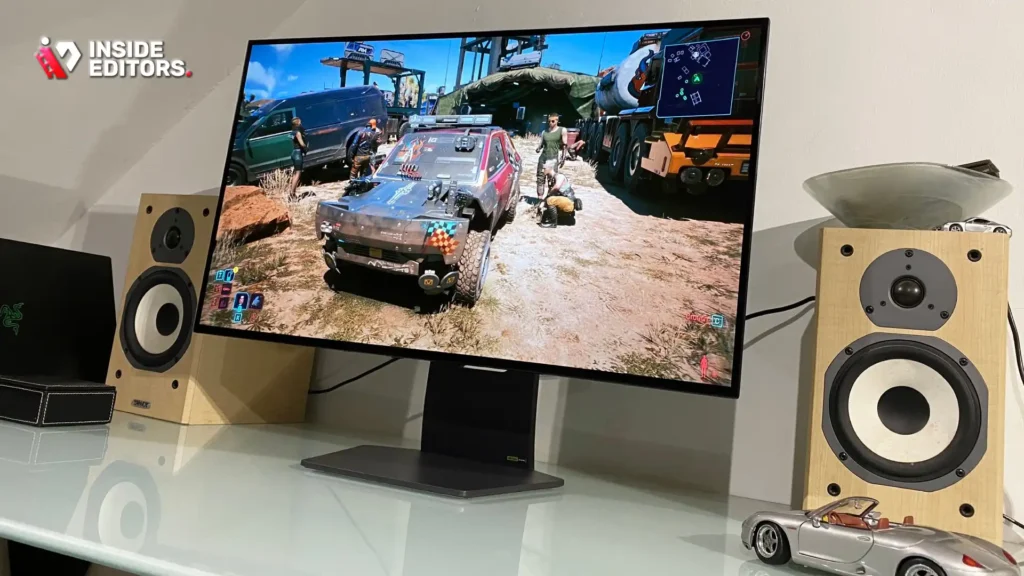
Choosing the best monitor for video editing and gaming means confronting specific trade-offs inherent in dual-purpose technology.
Challenge 1: Burn-In Risk with OLED
OLED monitors offer the best image quality, but static elements—like the timeline UI in Premiere Pro, scoreboards in games, or taskbars—can cause permanent image retention (burn-in).
Mitigation Strategies
- Hide the Taskbar: Set your operating system taskbar to auto-hide.
- Use Screen Savers: Activate a blank screen saver after short periods of inactivity.
- Pixel Shifting: Many OLED monitors have built-in pixel shifting and panel refresh features. Ensure these are active.
- Vary Your Work: When possible, switch between editing and gaming to prevent static elements from remaining on screen for excessive periods.
Challenge 2: The Resolution vs. Frame Rate Dilemma
Running 4K video editing software is manageable for most modern GPUs. However, running the latest AAA games at native 4K resolution and maintaining 144+ FPS requires an extremely powerful, high-end graphics card.
Practical Advice
If your primary focus is competitive gaming, consider dropping the in-game resolution to 1440p to hit higher frame rates, even if your monitor is 4K. The increase in responsiveness often outweighs the slight drop in visual fidelity for competitive play. For editing, always use the native 4K resolution.
Challenge 3: HDR Consistency
HDR (High Dynamic Range) is vital for modern video editing and provides stunning visuals in games. However, HDR standards (HDR400, HDR600, HDR1000) vary widely.
- Editing: Professional HDR editing requires at least HDR1000 certification and local dimming (Mini-LED or OLED) to accurately display the required contrast and brightness levels.
- Gaming: Even lower-tier HDR400 can enhance gaming visuals, but true impact is seen with higher standards.
Be wary of monitors that claim “HDR compatibility” but lack the necessary brightness or dimming zones to deliver genuine HDR performance. The best monitor for video editing and gaming should offer reliable, consistent HDR performance.
When Professional Editing Demands More

While a hybrid monitor offers excellent versatility, there are times when your video editing projects demand specialized attention that even the best consumer displays might not fully provide.
The Need for Specialized Post-Production
If you are working on high-budget projects, feature films, or complex commercial campaigns, color grading and finishing require absolute precision. Even the top hybrid monitors, which balance speed and color, cannot fully replace a dedicated reference monitor.
This is where professional support becomes invaluable. If you find yourself spending excessive time tweaking colors or struggling with complex effects, you might benefit from partnering with seasoned experts.
Elevating Your Content with Professional Video Editing Services
For creators, marketers, and businesses, time is often the most valuable resource. Instead of spending hours on tedious post-production tasks—like detailed color correction, complex motion graphics, or audio enhancement—you can delegate these tasks to professionals.
Inside Editors offers comprehensive professional video editing services designed to save you time and ensure professional-grade quality. Our team consists of professional editors with over 10 years of experience, guaranteeing expertise in color grading, audio enhancement, and seamless transitions.
We understand the demands of modern content creation. Our service offers fast turnaround times, typically 24 to 72 hours, and includes unlimited revisions until you are completely satisfied. This affordable pricing structure, starting at just $29 per video, makes professional quality accessible to YouTube creators, marketing teams, and course creators alike. By utilizing Inside Editors, you can save time and focus entirely on creating compelling content, knowing that the final polish is handled by experts who understand the nuances of high-quality video output.
Final Verdict: Choosing the Best Monitor for Video Editing and Gaming
Selecting the best monitor for video editing and gaming ultimately depends on your budget and which activity you prioritize.
Recommendation by Priority
- Prioritize Image Quality and Contrast (Editing Focus): Choose the Dell Alienware AW3423DWF (QD-OLED). Its infinite contrast and instantaneous response time offer the most visually stunning experience, provided you can manage the burn-in risk and accept the ultrawide format.
- Prioritize Speed and 4K Resolution (Gaming Focus): The Samsung Odyssey Neo G7 or LG UltraGear 32GQ950-B are the best choices. They deliver high-refresh-rate 4K performance with strong color accuracy, offering the smoothest gaming experience while maintaining professional editing standards.
- Best Value Hybrid: The Gigabyte M28U provides the essential 4K/144Hz foundation at a price point that makes it the most accessible best monitor for video editing and gaming for content creators on a tighter budget.
The market for hybrid displays is constantly improving. Today’s high-end IPS and emerging OLED technologies mean you no longer have to choose between a professional workspace and a competitive battle station. By focusing on 4K resolution, high DCI-P3 coverage, and a refresh rate of 144Hz or higher, you can confidently invest in a single display that truly masters both worlds.
FAQ
What is the key conflict in a hybrid monitor?
The conflict lies between the editor’s need for perfect color accuracy and high resolution, and the gamer’s need for high refresh rates and low response times. The best monitor for video editing and gaming must balance these demands.
Is 4K resolution necessary for video editing?
Yes, 4K (UHD) resolution is highly recommended for professional video editing. It allows for pixel-for-pixel viewing of 4K footage and provides essential screen real estate for complex timelines and panels.
Does OLED have a risk of burn-in for editing?
Yes, OLED panels carry a risk of burn-in due to static elements like editing software interfaces or taskbars. Mitigation strategies, such as hiding the taskbar and using screen savers, are necessary.
What refresh rate is needed for competitive gaming?
For competitive gaming, a minimum refresh rate of 144Hz is required. Higher rates like 240Hz are preferred for the smoothest experience, making it a factor in the best monitor for video editing and gaming.
What color standard is critical for professional video?
Professional video work requires high coverage of the DCI-P3 color space, ideally 95% or more. This standard is crucial for cinematic and HDR content creation and grading.
Should I choose IPS or OLED for a hybrid display?
High-end IPS offers excellent color accuracy, reliability, and fast speeds without burn-in risk. OLED offers superior contrast and speed but requires careful management of static elements when using the best monitor for video editing and gaming.
What is the ideal screen size for a 4K hybrid monitor?
The ideal screen size for a 4K hybrid monitor is 32 inches. This size provides sufficient screen real estate for complex editing timelines while maintaining a comfortable viewing distance for both work and gaming.


